


Yes, FieldVibe's Solo plan is 100% free forever for independent electricians and solo contractors. It includes unlimited job scheduling, client records, tap-to-send SMS reminders, and a free business website with work request forms. See what's included in the free plan for solo pros.
Electrical
Simple electrical software for solo electricians and small teams
Manage your electrical business from start to finish with FieldVibe: capture leads, send quotes, schedule service calls, invoice customers, and get paid
Get started — it's freeRated 4.8 on the App Store (412 ratings) · 4.7 on Google Play (315 ratings)


Trusted by electrical professionals

FieldVibe is a great app for my electrical contracting business. Fast and simple way to schedule the crew to job sites. With the ability to add tasks and photos to jobs is very helpful. I would recommend FieldVibe for any small field service business.Jason HildebrandtHildebrandt Electrical Services Inc.
Why electricians choose FieldVibe
Electrical work swings fast: from routine installs to urgent outages. FieldVibe is field service software built for that pace, not the slow-moving systems made for large contracting firms. Client requests land through your free website and turn into quotes, scheduled visits, reminders, invoices, and payments, without switching apps mid-way.

Electrician scheduling for service calls and urgent repairs
Electrical jobs often involve urgent repairs, safety checks, and multiple site visits. FieldVibe keeps everything clear and organized.
- Create jobs in seconds with client info, notes, and location
- Track visits with clear statuses: Upcoming, Completed, Canceled, or No-Show
- Add detailed notes, tasks, and photos for each job
- Reschedule or reassign jobs instantly when plans change
Electrical job management from rough-in to final inspection
Bigger electrical jobs take more than one trip. In FieldVibe, one job holds every visit, so rough-in, trim-out and the final inspection each get their own date and status. The notes, photos and time logs stay with the job.
- Add each visit to the same job and mark it Completed, Canceled or No-Show
- Keep permit numbers, panel details and inspection notes on the job and in the client's history
- Assign the job to the electricians doing it (Crews plan)
- Export the whole job to a PDF for your records

Cut missed appointments with text reminders
Missed service calls waste time and money. FieldVibe helps electricians keep clients on track.
- Automated text reminders reduce no-shows
- Send from your own number or a dedicated FieldVibe number
- Customizable templates to keep communication professional
- Clients trust and appreciate reliable reminders

Electrician management: client records, panels and permits
Electrical work often requires returning to the same client. FieldVibe makes their history easy to access.
- Store client details - phone, address, notes, and past work
- Keep all job history, including photos and signatures, in one place
- Track important info like inspection results or repair notes
- Access everything instantly from mobile or desktop

Simple staff scheduling for electricians
Keep your small crew of electricians on the same page with ease.
- Invite staff to join your FieldVibe account
- Assign jobs to specific electricians or teams
- Control access: staff see only their schedule, admins see all
- Share updates in real time so no job falls through the cracks

Free website for your electrical business
Use FieldVibe to create a free professional website for your electrical business. No developer, no WordPress, no hosting fees.
- Show your electrical services, business info, and photos of your work
- Post your website link on Google Business, Facebook, Instagram, or send it to potential clients
- Clients can submit their contact details and service requests through your website
- Every request goes into FieldVibe, ready for you to review and convert into a quote or job

Electrical quotes and estimates from your phone
Save your standard items once in the price book: service call fee, hourly rate, 200-amp panel upgrade, breaker replacement. When you quote a panel upgrade, add them in a few taps, include a deposit and text the quote link. Approved quotes turn into scheduled jobs in two taps. FieldVibe quotes are made for service calls and small projects; it isn't a takeoff or bid-estimating tool for large construction jobs.
Create detailed electrical quotes that help clients understand the work and approve faster.
- Create your quote: Add services like wiring, installations, or troubleshooting. Include taxes, discounts, or deposits when needed
- Send it to the client: Share instantly via text, email or download as PDF
- Client reviews and accepts: Clients check the scope and can approve the quote
- Turn it into a job: Schedule the work directly from the approved quote
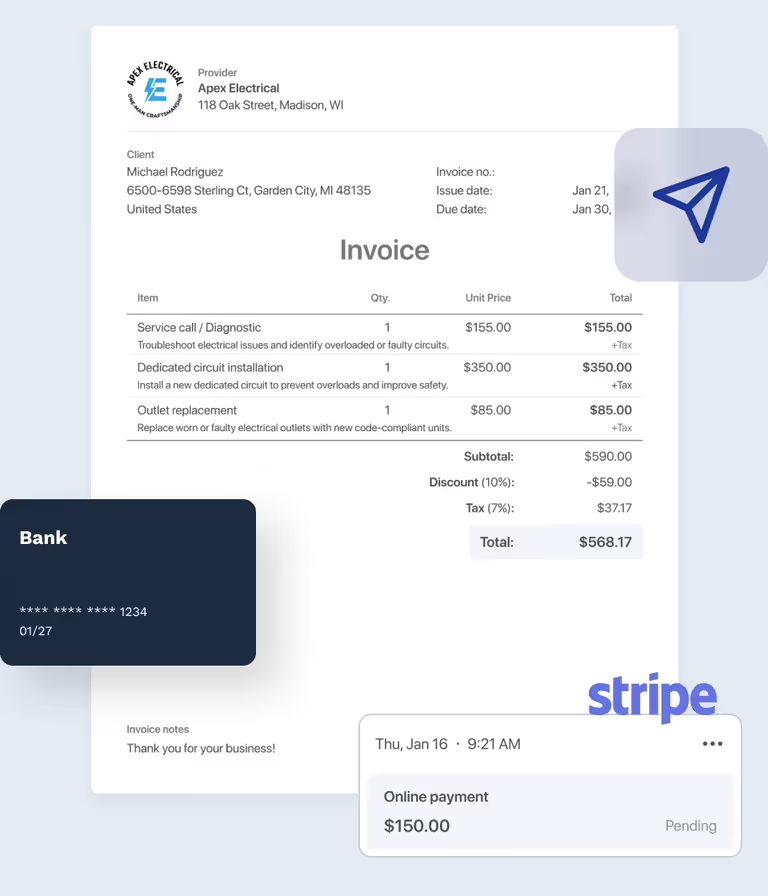
Electrical invoicing and payments
Use FieldVibe as simple electrical invoice software: create the invoice from the finished job and get paid on site with Tap to Pay on iPhone, or online by card, Apple Pay, Google Pay or bank transfer. Invoicing and payments are on Solo Pro and Crews.
Eliminate paperwork friction and collect payment immediately after finishing electrical installs or emergency repairs.
- Instant invoicing: Convert a completed job into a professional invoice with one tap
- Send the invoice: Share invoices as a PDF file or with the link via text or email
- Flexible payment options: Let clients pay online via card or bank transfer, or collect card payments right on site with Tap to Pay on iPhone
- Track what's owed: See paid, unpaid, and overdue invoices at a glance

Client reviews for your electrical business
After finishing an electrical job, request a review and collect feedback inside FieldVibe. Positive reviews help you build trust with new clients who want a reliable professional for their electrical work.
- Send ask for review texts: Ask your clients for feedback after completing electrical jobs.
- Collect star ratings: Clients rate your work from 1 to 5 stars and leave a short review.
- Share reviews on social media: Highlight your best electrician reviews to promote your services and build credibility.
Is FieldVibe right for your electrical business?
FieldVibe is built for solo pros and small teams, with the best fit for teams of up to 10 people. It doesn't do GPS tracking, route planning, inventory or accounting, and it doesn't connect to QuickBooks or Xero. If you need those, a larger system will fit you better. If you want scheduling, reminders, quotes, invoices and payments that you can run from your phone, FieldVibe is built for that.
Frequently asked questions
Look for an app you can run from your phone on the job: book the call, check the client's history, text a reminder and invoice when you're done. FieldVibe does all of that on iPhone, Android and the web, for solo electricians and small crews. Scheduling and client records are free for solo electricians; quotes and invoices are on Solo Pro.
Not in the takeoff sense. FieldVibe builds quotes for service calls and small projects from your own price book. To bid large construction jobs from blueprints, you'd use a dedicated estimating tool.
FieldVibe's free Solo plan covers scheduling, client records, tap-to-send reminders and a free business website, but not invoices. Invoicing and payments are on Solo Pro at $20/month.
Yes. Book unscheduled or emergency service calls on your calendar in seconds, even from your phone on another job. The visit shows under Today, and you mark it Completed, Cancelled or No-show when you're done.
Yes, FieldVibe allows you to schedule multiple service visits under a single job order, which is ideal for rough-in wiring, trim-out phases, and final inspections.
Yes, FieldVibe records panel configurations, permit details, inspection notes, job photos, and service histories permanently in each client's cloud file.
Yes, FieldVibe provides a free, professional website where homeowners and business owners can submit electrical service requests online 24/7.
Yes, on paid plans, you can build itemized quotes for panel upgrades, EV charger installations, or rewiring projects, then send them by text or email for fast customer approval.
Yes, completed electrical jobs turn into professional invoices in two taps on paid plans, letting customers pay online via credit card, Apple Pay, Google Pay, or bank transfer.
Yes, FieldVibe works across iOS, Android, mobile tablets, and desktop browsers, keeping dispatch schedules synchronized across all devices.
Also see: HVAC software · Plumbing software