September 8, 2026
Top 6 Best Cleaning Business Software in 2026
You've searched "best cleaning business software" hoping for straightforward recommendations. Instead, you've found lists recommending ServiceTitan ($300+ per tech per month), enterprise platforms with features you'll never use, and "starting at" prices that somehow triple once you add your team.
The best cleaning business software for solo operators and small teams in 2026 is FieldVibe (free for one-person businesses), followed by Jobber (best for teams ready to scale), and Housecall Pro (best for client communication). This guide ranks six platforms by what actually matters for small cleaning operations: transparent pricing, mobile-first design, SMS text reminders, and honest fit for your team size.
Here's the problem: most cleaning business software is built for companies with 20+ employees, dispatchers, and office staff. If you're a solo cleaner or run a tiny crew—doing the work from your phone between jobs—those tools are expensive overkill.
As one user on r/Entrepreneur described the frustration:
"We're using FieldVibe and so far it's been great" — u/deleted
This guide ranks cleaning business management software—also called job management apps or field service management software—by what actually matters for solo and small cleaning businesses (up to 10 employees). We've included documented user warnings about aggressive sales tactics and cancellation difficulties that other lists conveniently omit.
A note on transparency: This guide is published by FieldVibe, which appears at #1 in our rankings. We've applied identical evaluation criteria to ourselves and all competitors, included documented user complaints where they exist, and presented competitor strengths fairly. Our goal is helping you make an informed decision—even if that decision isn't FieldVibe. You'll notice we acknowledge our 10-employee limit as a real constraint and point you to competitors when they're a better fit for your situation.
Best Cleaning Business Software - Quick Comparison
1. FieldVibe
- Best For: Solo & small teams (up to 10)
- Key Capabilities: Quote, schedule, remind, invoice, get paid, collect review
- Primary Strength: Free forever basics for solo operators
- Key Limitation: Designed for up to 10 employees
2. Jobber
- Best For: Small teams ready to scale
- Key Capabilities: Scheduling, quoting, invoicing, QuickBooks sync
- Primary Strength: Comprehensive all-in-one platform for growth
- Key Limitation: Pricing adds up quickly with add-ons and users
3. Housecall Pro
- Best For: Teams needing client communication
- Key Capabilities: Cleaning Edition, automated SMS, customer portal
- Primary Strength: Strong mobile app and client communication
- Key Limitation: Aggressive upselling and difficult cancellation reported
4. Workiz
- Best For: Automation-focused teams
- Key Capabilities: AI scheduling, built-in phone system, smart messaging
- Primary Strength: Most advanced automation in price range
- Key Limitation: Customer service issues and buggy app reported
5. Workever
- Best For: Cleaning businesses with equipment or stock to track
- Key Capabilities: Scheduling, quoting, invoicing, custom job forms, stock & asset tracking
- Primary Strength: All-in-one platform with UK-native pricing and invoicing
- Key Limitation: Per-user pricing; no permanent free tier
6. FieldPulse
- Best For: Customizable workflows
- Key Capabilities: Custom forms, workflow builder, 60+ reports
- Primary Strength: All features in base plan, no tier upgrades
- Key Limitation: Missing payroll integration and geo-fencing
Key takeaway: FieldVibe is the only platform with a full-featured free tier, while Jobber and Housecall Pro dominate the $150-300/month range for growing teams.
1. FieldVibe
Best Overall for Solo & Small Cleaning Businesses
Overview
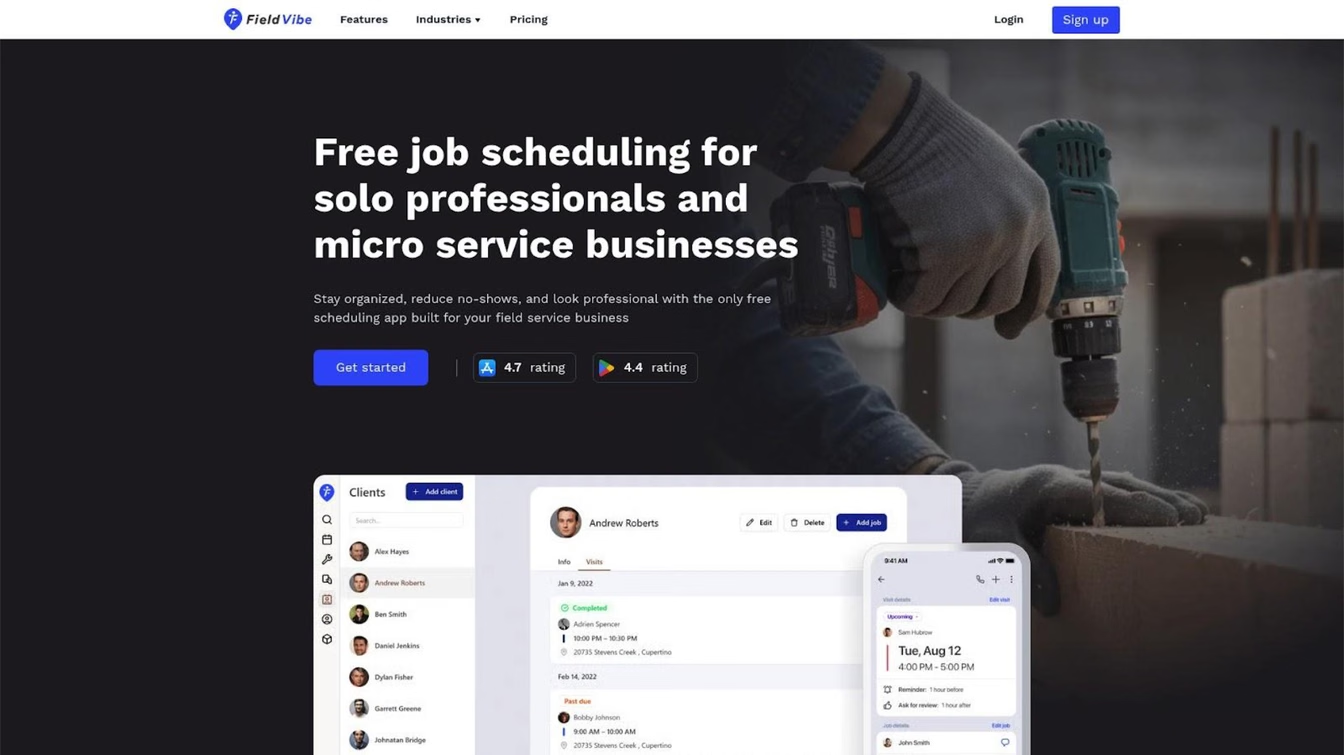
FieldVibe is a cleaning business software built for solo cleaners and small field service businesses rather than adapted from enterprise software. It serves cleaners, pressure washers, and similar trades with a simple and intuitive app instead of a complex CRM system. The core philosophy: if you're running a one-person operation, you shouldn't pay for—or wade through—features designed for 20-person teams.
FieldVibe holds a 4.8/5.0 rating on the App Store. As one user noted on the App Store:
"This app has been perfect for our residential and commercial cleaning business. It has plenty of features on the free plan, but $20 a month is a steal for what features they give you. I'm signing up for the $20 because it allows you to get pictures of the job, clock in and out, you can even have customer sign when you have completed a job. It's 5 stars all the way!"
Key Features
- Quick job creation and recurring visits: Schedule jobs in seconds from your phone, set recurring visits for regular cleaning clients
- Automated and tap-to-send text reminders: Reduce no-shows with automated messages or quick manual sends before appointments
- Client history with notes and photos: Keep all customer details, visit notes, and photos in one place accessible from the field
- Visit status and working time tracking: Mark jobs as complete and track hours without separate time-tracking apps
- Quotes, invoices and getting paid: Send clear quotes, turn jobs into invoices in 2 taps, and collect fast online payments.
Best For
Solo cleaners and small teams (up to 10 employees) who want simple, mobile-first cleaning software without paying for enterprise features. Ideal for anyone transitioning from paper calendars, basic phone apps, or scattered text messages and feeling they're losing time, money, and professionalism.
Pricing
- Solo Plan: $0/month (free forever for one-person businesses—all core scheduling features included)
- Solo Pro Plan: $20/month (400 automated text messages/month, multiple devices, time tracking and reports, quotes, invoices, payments)
- Crew Plan: $50/month (1000 automated text messages/month, unlimited staff, custom staff roles)
- Annual discount: 25% off
No hidden fees, no implementation costs, no per-user surprises. A 5-person cleaning team pays $50/month total—not $50 per person.
Here's the difference: FieldVibe's free tier includes a porfessional website to collect client work requests, unlimited job scheduling with recurring visits, manual reminders and client reviews. Jobber's $39/month Core plan doesn't include automated reminders. Housecall Pro's $79/month Basic plan limits automation features. You'd need to spend $119-189/month with competitors to get what FieldVibe offers at $0 or $20.
Strengths
Strengths
- Truly free-forever plan for solo cleaners: Solo operators get a full-featured field service software solution at $0/month with zero trial expirations—including unlimited job scheduling, unlimited client history, manual appointment reminders, review collection, and a business website to collect work requests online. Most competitors lock basic field service scheduling and client management behind $100+/month subscriptions.
- Complete job workflow in one mobile app: Manage every step of your cleaning business—from initial work requests, quoting, and job scheduling to automated appointment reminders, instant invoicing, online payments, and customer review collection—straight from your phone without paying for separate tools.
- Cut no-shows and keep cleaning routes on track: Automated text message appointment reminders notify clients before every visit, ensuring entry codes are ready and home owners expect you, which cuts costly no-shows and last-minute cancellations. Manual tap-to-send reminders are included free, while paid plans automate the entire communication process.
- Instant mobile invoicing and faster payments: Turn completed cleaning visits or approved estimates into clean invoices in two taps. Collect payment on the spot using Tap to Pay on iPhone or send payment links by text so you get paid before leaving the driveway.
- One predictable flat price for small crews: Instead of per-seat fees that increase your monthly bill every time you hire another cleaner, FieldVibe’s Crews plan offers a flat $50/month price for unlimited staff members, keeping your overhead predictable as your business grows.
- Free website for home services with 24/7 lead capture: Every account includes an easy website builder to display your cleaning services, showcase top 5-star customer reviews, and accept work requests online 24/7 directly into your calendar without paying hosting or web designer fees.
- Zero setup friction or mandatory sales calls: Designed as an intuitive job scheduling app for small service businesses, you can set up your price book and start booking cleaning jobs in minutes—without waiting on sales reps, mandatory demos, or lengthy onboarding cycles.
- Proven credibility among trade pros: Top-tier ratings across platforms (4.8/5.0 stars on the App Store, Google Play, and Capterra) confirm that solo cleaners and small crews can run their day reliably without technical headaches
Limitations
FieldVibe is designed specifically for businesses up to 10 employees. Larger operations needing advanced team management, complex dispatching, or extensive integrations will outgrow it. It also has fewer integrations than enterprise platforms—if QuickBooks sync or Zapier connections are essential to your workflow, verify compatibility before committing. If you're at 9 employees and planning to hire more, FieldVibe may require switching platforms as you grow—factor potential migration into your decision.
Verdict
If you're a solo cleaner or run a small team, FieldVibe is built for you—not adapted from enterprise software. The free tier includes full scheduling functionality, SMS reminders, and client history—features most competitors lock behind $100+/month plans. You only pay when you actually need advanced features or staff management.
We built FieldVibe for solo operators and small teams—that focus means we're not the right choice for everyone. If you're managing 15+ employees, need complex dispatching, or require enterprise integrations, Jobber or FieldPulse will serve you better.
2. Jobber
Best for Small Teams Ready to Scale
Overview
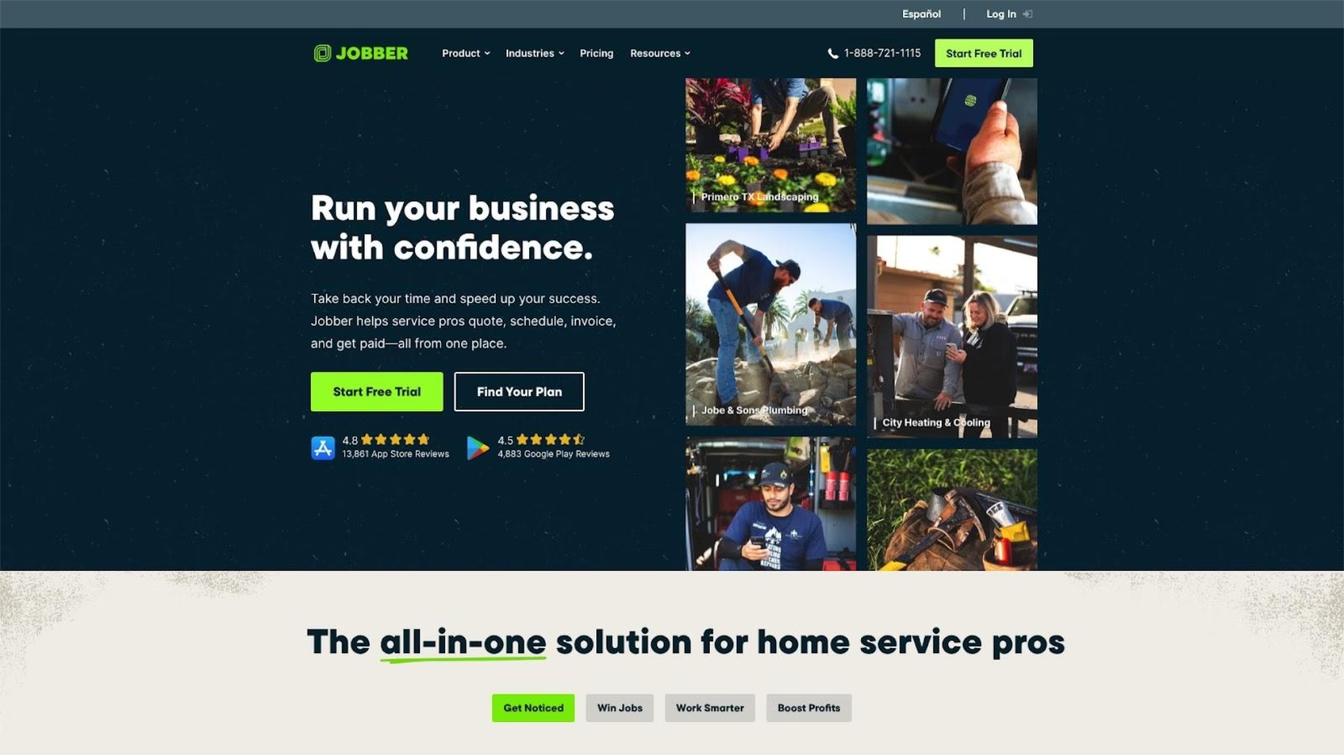
Jobber is an established field service management platform serving 50+ industries including residential and commercial cleaning, according to Jobber's official website. It offers comprehensive features covering scheduling, quoting, invoicing, and client management in one system. Jobber appears in nearly every "best cleaning software" list and has built strong brand recognition through aggressive marketing and a large user base.
Key Features
- Drag-and-drop scheduling: Visual calendar with automatic recurring visit creation for regular cleaning clients
- Online booking and client self-service: Let clients book and manage appointments without phone tag
- Quoting, invoicing, and payment processing: Create estimates, convert to invoices, and accept payments in one workflow
- Mobile app for field access: Manage jobs, client info, and communications from phones and tablets
- QuickBooks and Stripe integrations: Sync financials and accept online payments
Best For
Small cleaning teams (3-15 employees) who want one platform for scheduling, quoting, and invoicing. Best for businesses with established processes ready to consolidate multiple tools into professional software and planning to scale.
Pricing
- Core: $39/month ($29 annual) — 1 user, basic scheduling and invoicing
- Connect: $119-169/month — Up to 5 users, adds automated communications
- Grow: $199-349/month — Up to 10 users, adds quoting and lead tracking
- Plus: $599/month ($449 annual) — Up to 15 users
- Additional users cost $29/month each.
Real-world costs: A cleaning team of 5 using Connect pays $169/month. But add QuickBooks integration, additional users, and the marketing features you probably need, and expect $300-500/month. One industry analysis noted "the reality for cleaning teams often [reaches] $300-$800/month with add-ons."
Strengths
- Comprehensive feature set: Reduces need for separate scheduling, invoicing, and communication tools. For cleaning businesses ready to consolidate operations into a single platform—and willing to invest in the learning curve—Jobber delivers genuine value
- Strong QuickBooks integration: Users consistently praise the seamless accounting sync according to Jobber's official website
- Extensive resources: Large user community, tutorials, and support documentation
Limitations
Multiple Reddit users describe Jobber as "built for a 20+ person company, not a small lawn care business." Solo operators often find the features overwhelming and the cost hard to justify. Users have also reported difficult cancellation processes requiring multiple emails and phone calls. One user noted that Jobber gives free top-tier subscriptions to "ambassadors" who create content, making some reviews hard to trust. Some users criticize Jobber for lacking cleaning-specific functions like customizable cleaning checklists or pay-by-clean calculations.
Users on r/sweatystartup shared their experience:
"Jobber is great but the pricing is mental. It's not friendly to new businesses" — u/lkpshhm
Verdict
Excellent platform for small teams who need comprehensive features and plan to grow beyond 5-10 employees. The all-in-one approach genuinely reduces tool sprawl. If you're planning to grow past 10 employees within the next year, Jobber's scalability becomes worth the higher cost. But solo cleaners will likely find Jobber overcomplicated and expensive for simple scheduling needs—you're paying for features designed for larger operations.
3. Housecall Pro
Best for Teams Needing Strong Client Communication
Overview
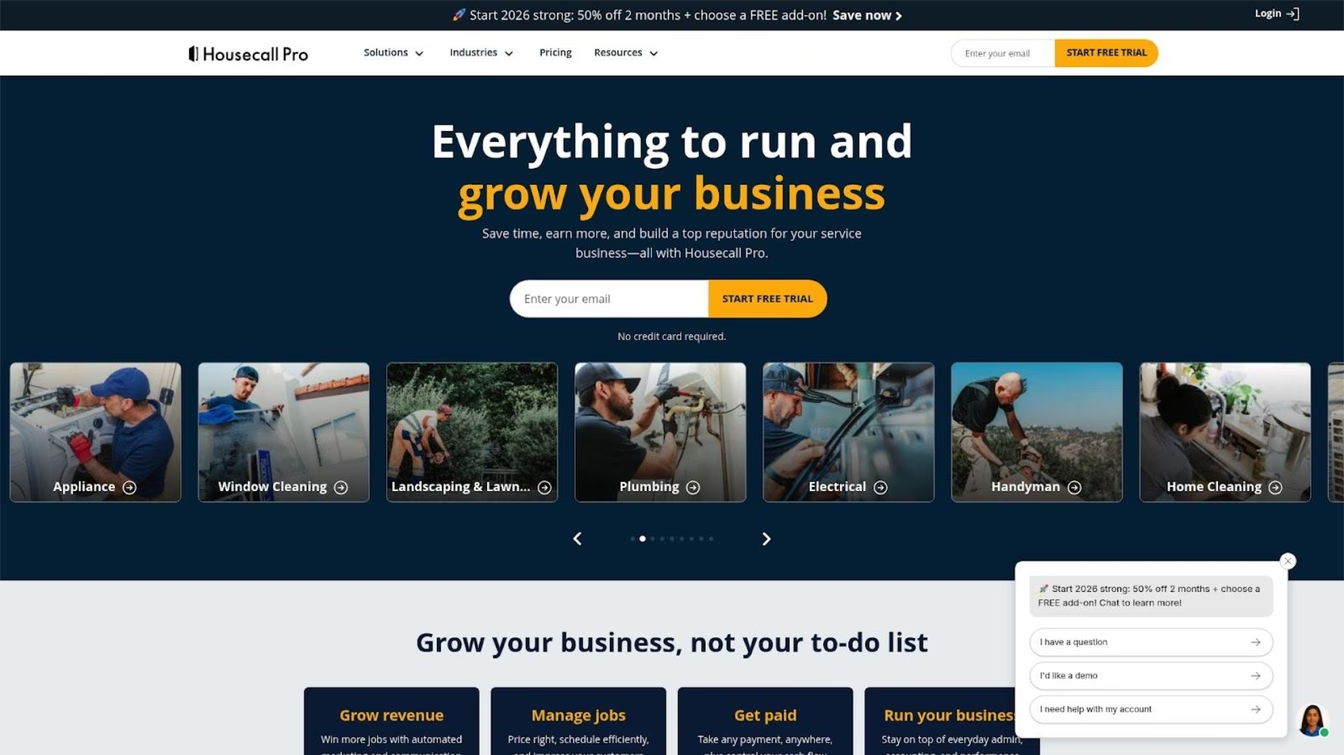
Housecall Pro is a popular field service platform serving over 200,000 field service professionals according to the company, with a specific "Cleaning Edition" featuring tools tailored for cleaning operations. It emphasizes mobile functionality and customer communication, with recent additions including AI-powered call answering and booking capabilities. The platform focuses on helping businesses look professional to clients through automated updates and reminders.
Key Features
- Drag-and-drop scheduling with real-time dispatching: Visual scheduling with GPS tracking for team visibility
- Automated SMS notifications and on-the-way alerts: Keep clients informed throughout the service process
- Customer portal: Self-service booking and payment for clients
- Cards-on-file for quick payments: Charge saved payment methods for faster collection
- AI-powered call answering: CSR AI handles calls and books appointments 24/7 (higher tiers)
Best For
Cleaning teams (3-10 employees) who prioritize customer communication and want strong mobile functionality. Good for businesses ready to invest in automation features and wanting to present a polished, professional image to residential clients.
Pricing
- Basic: $79/month ($59 annual) — 1 user
- Essentials: $189/month ($149 annual) — Up to 5 users
- Add-ons include vehicle GPS ($20/month) and marketing tools.
Users on r/Contractor noted:
"I used to use Jobber for 1 year and I found it very expensive so I cancelled as I found other cheaper alternatives, they gave me such hard time just to cancel. I then decided to try housecallpro but it was just lacking and I found it complicated to use and there's also cheaper alternatives." — u/Master_Abalone4904
Limitations
Add-on fees can stack up quickly. Users have noted aggressive sales upselling and complex setup structures. Cancellation can be difficult, often forcing phone retention calls.
Verdict
Housecall Pro offers a dependable app for client interaction and field reliable use, but ensure you calculate full add-on expenses first.
4. Workiz
Best for Automation-Focused Teams
Overview
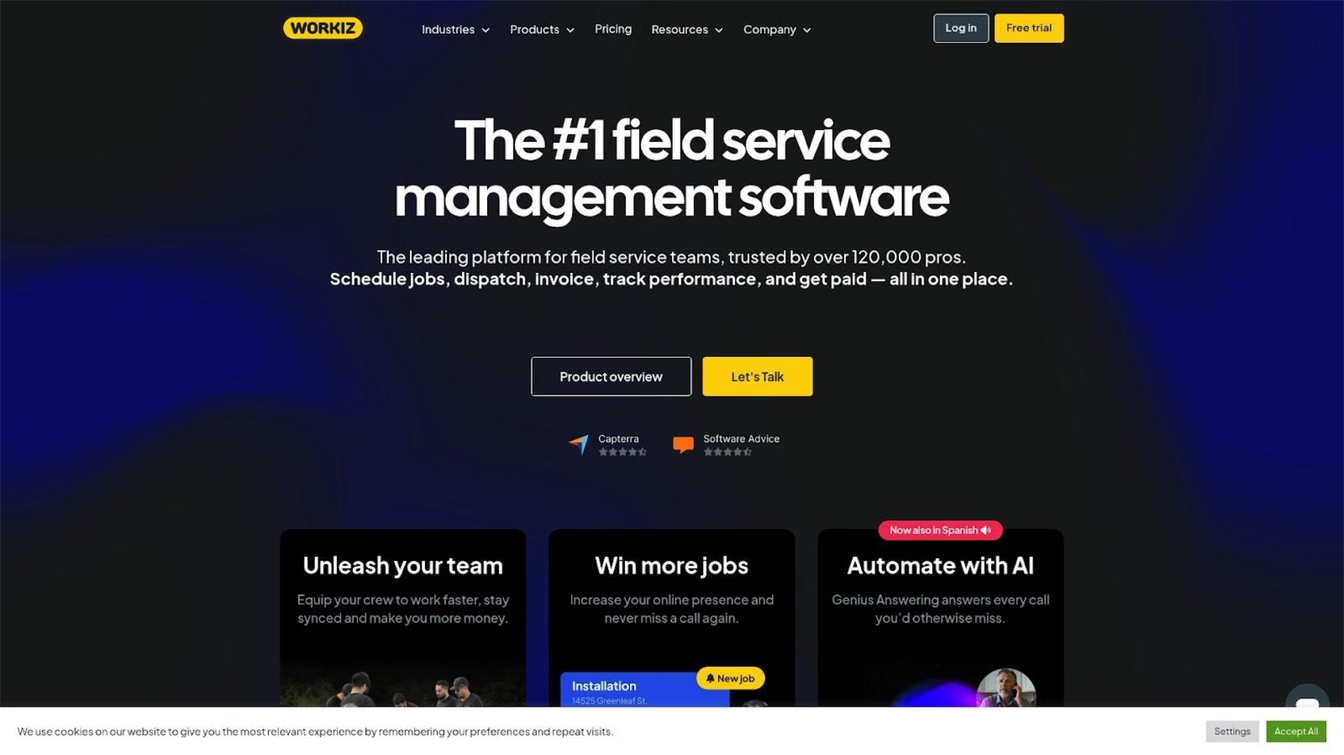
Workiz offers a strong balance of features and value for growing field service teams, prioritizing automation, intelligent scheduling, and built-in phone capabilities. It targets mid-size operations but handles onboarding smoothly.
Key Features
- Drag-and-drop scheduling with automated routing
- Built-in phone systems and call insight logging
- AI scheduling assistance and messaging workflows
- Mobile time tracking and offline storage
- QuickBooks and Stripe accounting sync
Best For
Teams (5-20 employees) looking for robust operational automation and phone integrations in their software platform.
Pricing
Competitive tier-based system. Some users reported paying around $500/month for up to 20 users (~$25/user). Verify latest plans on their web page.
Limitations
User experiences with Workiz support vary significantly. Some users have reported billing complications or difficulties reducing active account seats. Onboarding support can occasionally hit bottlenecks.
Verdict
Powerful automation options for teams ready to commit. The phone and AI features provide exceptional utility when fully deployed, making it highly suitable for mid-market business growth.
5. Workever
Best for: Cleaning Businesses Wanting an All-in-One System
Overview
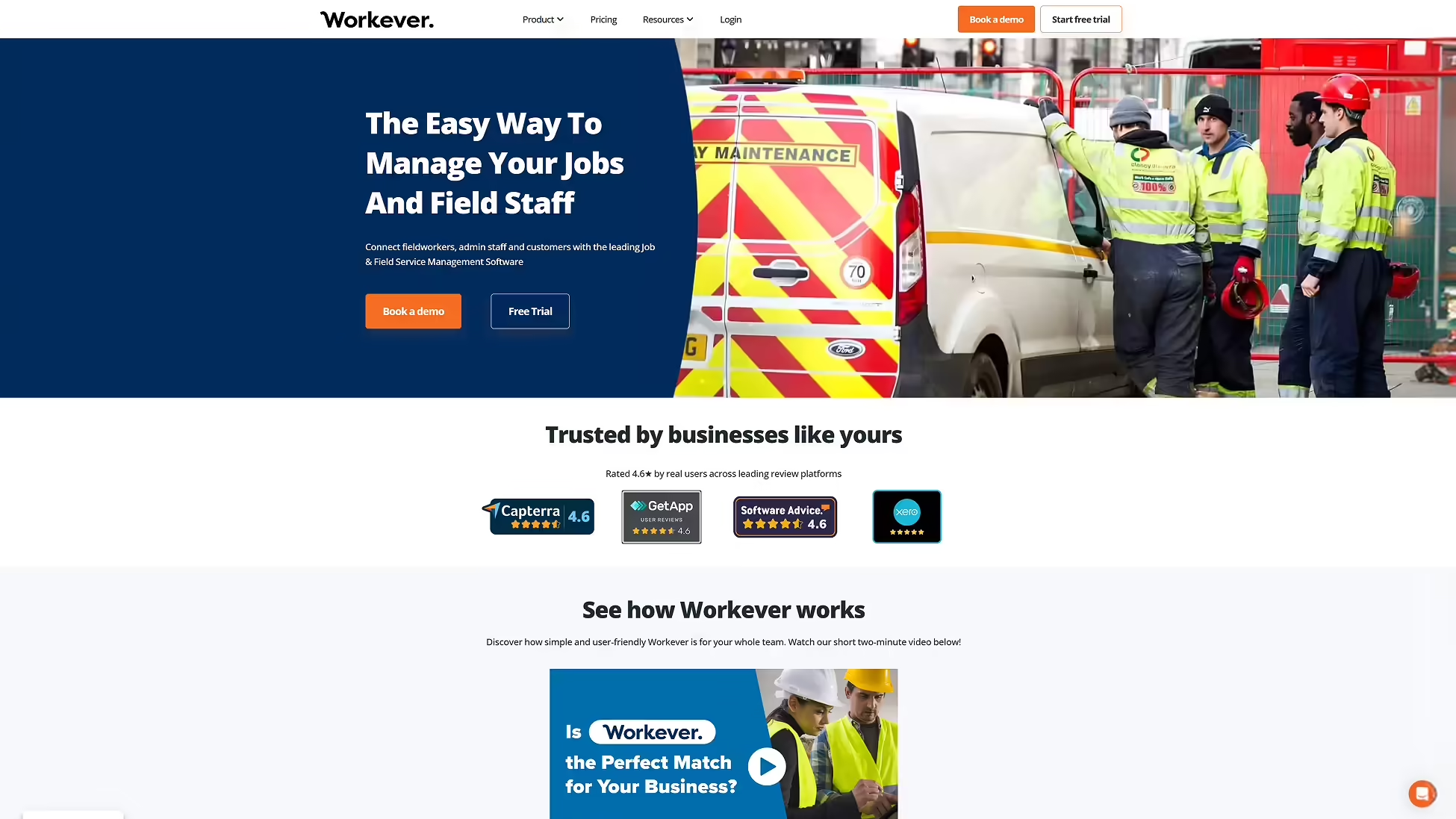
Workever is a field service and job management platform, founded in 2015, built for trade and service businesses with 3+ staff. It helps cleaning operators move off paper and spreadsheets and onto one cloud-based system covering scheduling, job documentation, invoicing, and stock.
Key Features
- Drag-and-drop scheduling with live GPS map view: See field staff positions and assign jobs from a central calendar
- Recurring job creation: Set up regular contract cleans once, not job by job
- Quotes, invoicing, and batch multi-job invoicing: Convert a quote to a job to an invoice, and bill several jobs on one invoice
- Stock, cost items, and purchase orders: Track consumables and equipment alongside jobs
- Offline-capable mobile apps: iOS and Android apps that work without signal and sync once back online
- Xero, QuickBooks, and Stripe integrations: Sync invoices and accept card payments
Best For
Cleaning businesses who want scheduling, compliance-ready job forms, invoicing, and stock tracking in one system, rather than stitching several tools together.
Pricing
- Base: £29/user/month: job management, scheduling, quotes/invoices/payments, fieldworker management, mobile apps, accounting integrations
- Ultimate: £39/user/month: adds form filling & form builder, stock management, asset management, service contracts, customer self-service portal, timesheets & expenses
- 30-day free trial, no credit card required; month-to-month with no contract, or annual billing for up to 15% off
Strengths
- Compliance-ready job documentation: Digital forms plus PDF or Excel job reports suit cleaning contracts that need sign-off or an audit trail
- Proven with cleaning and facilities customers: One cleaning and facilities company using Workever described moving off "disorganised Excel files" onto one centralised system
Limitations
The features that matter most to cleaning operations e.g., compliance forms, stock, and asset tracking sit on the Ultimate tier and not the £29 Base plan, so like-for-like cost comparisons with competitors above should use the Ultimate price. There's no permanent free tier; the trial runs 30 days.
Verdict
For cleaning businesses with a few staff and real compliance or stock-tracking needs, Workever's is a genuine all-in-one alternative to Jobber or Housecall Pro. Solo cleaners, or anyone wanting a permanently free tier, will be better served by other software.
6. FieldPulse
Best for Customizable Workflows
Overview
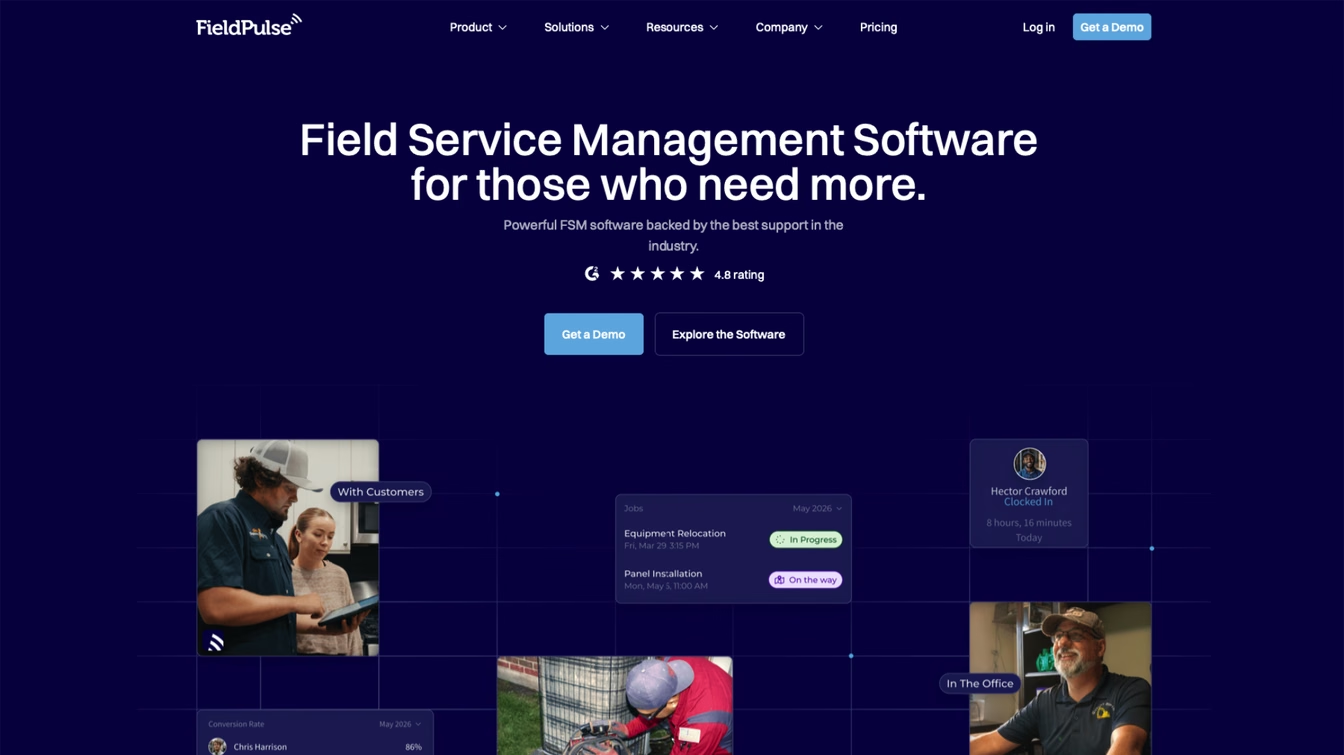
FieldPulse is designed to offer customizable fields, forms, and workflows, allowing operators to mold the software around their specific business logic rather than changing their practices for the tool.
Key Features
- Workflow builder and custom field mapping
- Comprehensive dashboard reporting (60+ metrics)
- Customer portals and GPS vehicle tracking
- Built-in estimates and electronic invoices
Best For
Growing service businesses wanting custom administrative controls and specific data parameters without structural tier upgrades.
Pricing
Typically relies on a per-user model ranging from $40 to $100+/user/month.
Limitations
May prove unnecessarily complex or over-engineered for small crews or solo owners. Lacks dedicated automated payroll formatting tools out of the box.
Verdict
Highly flexible mid-market platform that gives teams precise command over their data structure and workflows as they grow out of basic tracking setups.
Red Flags to Watch When Evaluating Cleaning Software
Before committing to any cleaning business software, watch for these six warning signs based on documented user experiences across Reddit and review platforms:
- Difficult cancellation processes. Search "[software name] cancel subscription" before signing up. Multiple platforms require phone calls during business hours, retention team conversations, and multiple attempts to actually stop billing. If cancelling requires more effort than signing up, that tells you everything about how the company views its relationship with you.
- "Ambassador" programs. Some vendors give free premium subscriptions to users who create content. When you see enthusiastic reviews, check whether the reviewer discloses they're getting free software in exchange for promotion.
- Aggressive upselling. Monthly calls pushing lending products, credit card processing, or premium features you didn't ask about. If a company needs to hard-sell you after you've already paid, it's a red flag about product value.
- "Too much data" excuses. If support tells you to delete customer records because their system can't handle your workload, find software that scales with your business rather than blaming you for using it.
- Hidden implementation fees. Some platforms advertise monthly prices but require $200-600+ one-time onboarding fees. Always ask about setup costs before committing.
- No free trial. Platforms confident in their product let you test before paying. "Schedule a demo" instead of "start free trial" often means higher prices and sales pressure.
Questions to Ask Before Choosing Cleaning Software
Use these questions—derived from our ranking criteria—to evaluate any platform against your actual needs:
- What's the total monthly cost for my current team size? Include per-user fees, required add-ons, and any features you need that aren't in the base plan. Calculate costs at 3, 5, and 10 employees to understand scaling.
- Can I run everything from my phone? Actually test the mobile app—don't trust "mobile app available" claims. Some are clunky desktop ports. Open it and try scheduling 5 jobs to feel the difference.
- Are SMS reminders included or extra? Automated reminders reduce no-shows, but many platforms lock them behind premium tiers or charge per message. Verify reminders are included at your plan level.
- How do I cancel if it doesn't work out? Research the cancellation process before you need it. Month-to-month without contracts is ideal. Check Reddit for real experiences.
- What happens when I add employees? Per-user pricing can make costs explode as you grow. Some platforms offer flat-rate pricing that becomes more economical for larger teams.
- Do I need all these features? If you're a solo cleaner with 20 regular clients, you probably don't need AI dispatching, multi-party billing, or price book software. Simpler is often better and you'll actually use it.
How We Ranked These Tools
Traditional cleaning software evaluation focuses on feature counts and integrations. Modern small cleaning businesses require different criteria. Here's what we assessed and why each factor matters:
Solo & Small Business Fit — Most cleaning software is designed for 20+ person companies with dispatchers and office staff. Solo operators and tiny teams need tools that match how they actually work—scheduling between jobs on their phone, not managing complex team workflows. This criterion evaluates whether the platform is built for small operations or just scaled-down enterprise software.
Pricing Transparency & True Cost — "Starting at" prices rarely reflect what you'll actually pay monthly. We calculated real costs for teams of different sizes, including per-user fees, required integrations, and add-ons most cleaning businesses need. Hidden costs destroy budget predictability for small businesses.
SMS Reminders & No-Show Prevention — Missed appointments don't just waste time—they represent lost revenue with no replacement booking. Automated reminders sent 24 hours before (and optionally day-of) give clients the prompt to confirm, reschedule, or cancel with enough notice to fill the slot. This criterion evaluates whether reminders are included in base plans or locked behind premium tiers.
Mobile-First Design — There's a huge difference between "has a mobile app" and "designed for phone-primary operation." Field workers running operations between jobs need tools that feel native on mobile, not desktop software crammed onto a small screen. We tested whether core workflows (scheduling, client lookup, job completion) work smoothly on phones.
Setup Speed & Simplicity — Many cleaning business owners are transitioning from paper calendars or basic phone apps—not migrating from competitor software. Enterprise onboarding processes requiring weeks of training defeat the purpose. This criterion values tools you can start using today without dedicated implementation staff.
Cancellation & Vendor Trust — Before committing, you should know whether a platform makes cancellation difficult, employs aggressive sales tactics, or has patterns of billing issues. We surfaced documented user experiences from Reddit and review platforms that reveal vendor behavior after the sale.
We weighted solo/small business fit, pricing transparency, and SMS reminders most heavily because these directly impact whether small cleaning operations will actually benefit from software—not just pay for features they'll never use.
Frequently Asked Questions
What's the best free cleaning business software?
For solo cleaners, FieldVibe offers the only genuinely free tier with full scheduling functionality—unlimited job scheduling, SMS reminders (tap-to-send), client history with notes and photos, and work requests webpage at $0/month forever. Workiz offers a free tier, but it's limited to 20 jobs per month, which any active cleaning business will exceed quickly—roughly one job per business day.
Most other platforms only offer free trials (typically 7-14 days), not permanent free plans. The free trial approach means you're testing with the pressure of a deadline rather than genuinely evaluating fit over time.
How much does cleaning business software actually cost per month?
Cleaning business software typically costs $0-50/month for solo operators, $150-300/month for teams of 3-5, $200-500/month for teams of 5-10, and $300-1,000+/month for teams of 10+.
- Per-user fees that multiply base costs as you add team members
- Integration costs like QuickBooks sync ($30-100+/month)
- Premium features like automated workflows, advanced reporting, or GPS tracking
- Implementation fees ($200-600 one-time charges)
- Per-message SMS costs beyond plan limits
Always calculate total cost including add-ons, extra users, and integrations at your actual team size—not just the advertised starting price.
Do I need cleaning business software if I'm the only cleaner?
Solo cleaners benefit from scheduling software if they're missing recurrent appointments, losing track of client details, or managing bookings through scattered text messages. The key question: does software solve a problem you're actually experiencing?
- Free or very low cost that fits your budget
- SMS reminders to reduce no-shows (directly protects revenue)
- Simple client history storage so you remember preferences
- Mobile-first design you'll actually use in the field
Skip: Platforms pushing dispatching features, team management, complex workflows, or enterprise reporting you don't need. A paper calendar that works is better than software you won't use.
It's okay to realize you don't need this yet. A system you'll actually use beats software collecting dust.
Conclusion
The six criteria we used—solo fit, pricing transparency, SMS reminders, mobile design, setup speed, and vendor trust—work for evaluating any field service software, not just these six. Use them to test new tools that launch or options we didn't cover. You now have the framework to evaluate independently, even as the market evolves.
Start simpler than you think you need. The biggest mistake cleaning business owners make is buying software designed for operations twice their size, then paying for features they'll never use.
If you're a solo cleaner or run a small team (up to 10 employees): Start with FieldVibe's free tier. You get real scheduling functionality, a free website to collect client work requests, text reminders, and client history without paying anything. Test whether it fits your workflow before you spend a dollar. When you grow, it's $20/month for quotes, invoices and payments, or $50/month for unlimited employee accounts.
If you're a small team (3-15 employees) ready for comprehensive features: Jobber or Housecall Pro offer all-in-one platforms that can grow with you. Budget $200-400/month realistically and watch for add-on costs. If you're planning to grow past 10 employees within the next year, Jobber's scalability becomes worth the higher cost.
If you need specific workflow customization: FieldPulse offers flexibility for non-standard processes, though the per-user cost adds up quickly.
Most cleaning software is built for dispatchers in offices, not cleaners in vans. If you're running everything from your phone between jobs, you need tools designed for that reality. Before committing to any platform, test the free trial or free tier, calculate your real monthly cost with all users and add-ons, search "[software name] cancel subscription" on Reddit, check mobile app reviews from actual field users, verify SMS reminder inclusion, and confirm you can leave month-to-month without long contracts.
For solo and small cleaning businesses looking for straightforward job management without enterprise complexity, FieldVibe offers a free tier with full scheduling features, SMS reminders included, and upgrades only when you automate or add team members—a pricing model that matches how solo operators actually grow. Try the free tier and see if it fits how you actually work.