
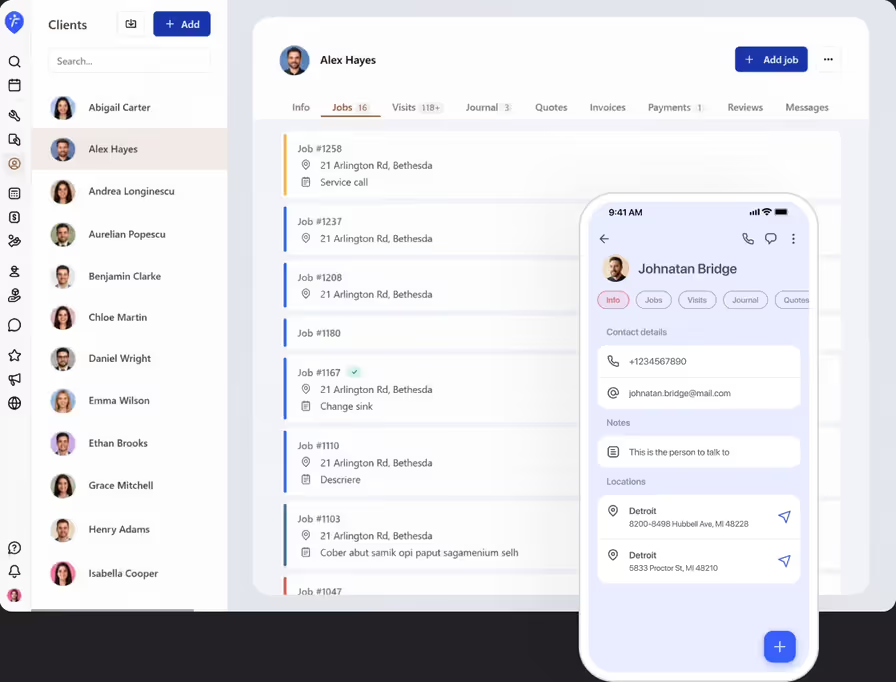
Client management software stores client contact details, service history, notes, and photos in one searchable place. Instead of digging through paper files or old text threads, service businesses can pull up a client's full history in seconds, from any device.
Client management for field service businesses
Stop chasing paper notes and old texts and pull up client history in seconds. Store every client's contact info, job history, and notes safely in one place.
Get started - it's free
No sales calls, no mandatory demo, self-setup in 5 minutes
Trusted by thousands of service professionals
Rated 4.8 on the App Store (412 ratings) · 4.7 on Google Play (315 ratings)
'/%3e%3cpath%20id='Vector_2'%20d='M11.8964%205.51385L12.3824%204.67385C12.6823%204.14885%2013.3512%203.97185%2013.8762%204.27185C14.4011%204.57185%2014.5781%205.24085%2014.2781%205.76585L9.59571%2013.8718H12.9823C14.0802%2013.8718%2014.6951%2015.1618%2014.2181%2016.0558H4.28937C3.68345%2016.0558%203.19751%2015.5698%203.19751%2014.9638C3.19751%2014.3578%203.68345%2013.8718%204.28937%2013.8718H7.07303L10.6366%207.69485L9.52372%205.76285C9.22376%205.23785%209.40073%204.57485%209.92567%204.26885C10.4506%203.96885%2011.1135%204.14585%2011.4195%204.67085L11.8964%205.51385ZM7.68495%2017.1808L6.63508%2019.0018C6.33512%2019.5268%205.6662%2019.7038%205.14127%2019.4038C4.61633%2019.1038%204.43935%2018.4348%204.73932%2017.9098L5.51922%2016.5598C6.40111%2016.2868%207.11802%2016.4968%207.68495%2017.1808ZM16.7258%2013.8778H19.5665C20.1724%2013.8778%2020.6583%2014.3638%2020.6583%2014.9698C20.6583%2015.5758%2020.1724%2016.0618%2019.5665%2016.0618H17.9887L19.0535%2017.9098C19.3535%2018.4348%2019.1765%2019.0978%2018.6516%2019.4038C18.1266%2019.7038%2017.4637%2019.5268%2017.1578%2019.0018C15.364%2015.8908%2014.0172%2013.5628%2013.1233%2012.0118C12.2084%2010.4338%2012.8623%208.84985%2013.5072%208.31285C14.2241%209.54285%2015.295%2011.3998%2016.7258%2013.8778Z'%20fill='white'/%3e%3c/g%3e%3c/g%3e%3c/g%3e%3c/g%3e%3c/g%3e%3c/g%3e%3c/g%3e%3cdefs%3e%3clinearGradient%20id='paint0_linear_0_1'%20x1='12'%20y1='0'%20x2='12'%20y2='24'%20gradientUnits='userSpaceOnUse'%3e%3cstop%20stop-color='%2318BFFB'/%3e%3cstop%20offset='1'%20stop-color='%232072F3'/%3e%3c/linearGradient%3e%3c/defs%3e%3c/svg%3e)

Good for keeping track of clients and mapping out day. automates alot for you.
 Google Play
If client history lives in old texts, sticky notes, or your memory, you'll waste time re-asking questions you should already know the answer to. FieldVibe stores every client's contact info, notes, and job history in one place, ready the moment you need it.
Full job history, always available
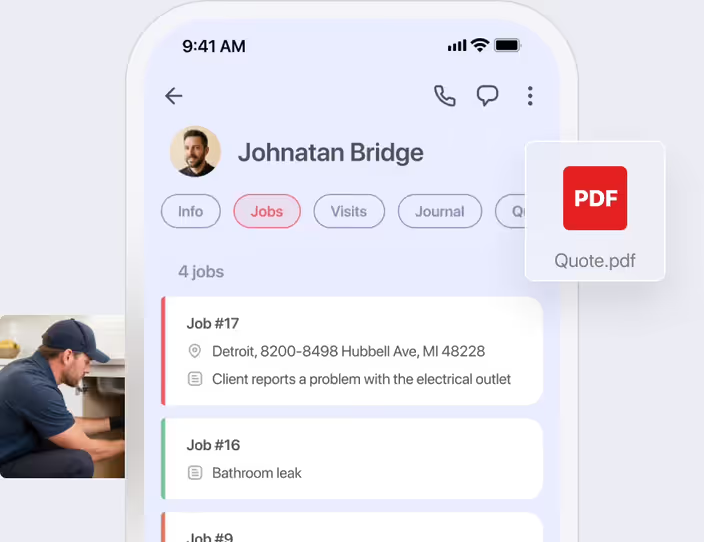
Every past visit, photo, note, quote, and message for a client lives in the client details view. Nothing buried in old texts or paper files.
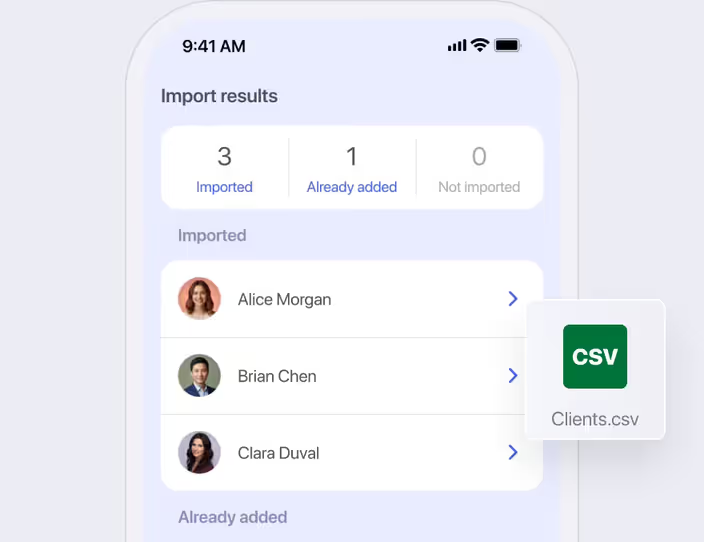
Fast bulk and CSV client importing
Import your client list without manual data entry. Use bulk phone contact import on the iOS and Android mobile apps, or upload a CSV file on the web app.
How would a plumber use the client management features
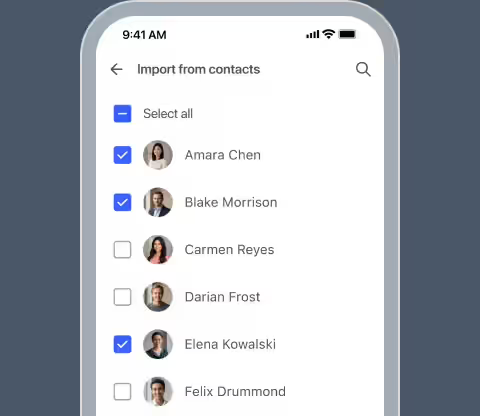
Import existing contacts
Receiving a call from a repeat client, the plumber taps to import her contact info directly from his phone's address book into FieldVibe.
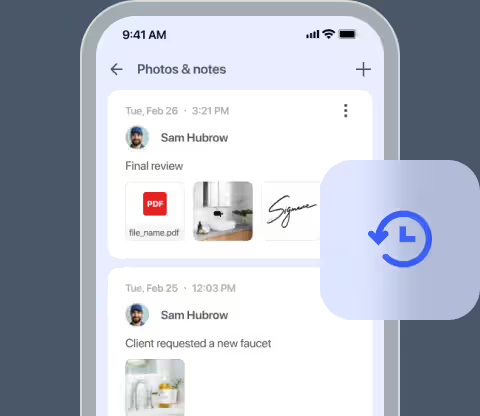
Review past job records
Months later, when called about a new leak, he opens her client profile before stepping out of his truck to check photos and notes from last year's repair.
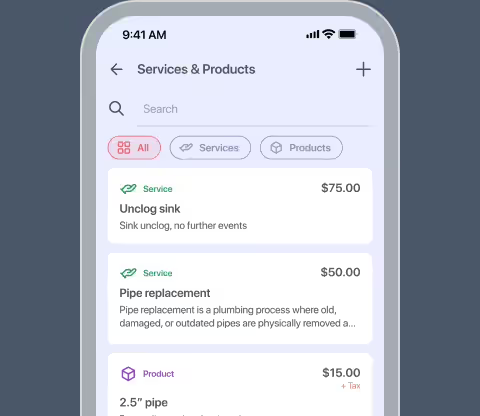
Confirm part requirements
Using the stored service history, he identifies the exact pipe sizes installed previously and grabs the correct materials from his truck before knocking on the door.
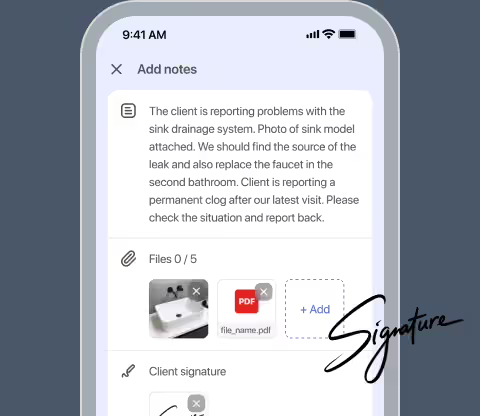
Update central records
After finishing the fix, he adds new notes and photos to her permanent online history, keeping all past visits, quotes, and invoices organized under one profile.
Frequently asked questions
No. The FieldVibe free-forever Solo plan includes unlimited client profiles, allowing solo owner-operators to scale their business without hitting any hidden caps.
Phone number, email address, addresses, notes, job history, photos, and signatures.
Yes. Everything is stored securely in the cloud, so you never lose client history if you lose or switch your phone.
Yes. You can view all client photos, technical notes, quotes, invoices, payments, reviews, and text messages in one place, so you can see the full history at a glance.
On the Crews plan, you can use custom permissions to determine exactly what your employees can see and do. You can restrict technicians to only see the client contact details for the specific jobs assigned to them.
Yes. You can import contacts directly from your phone, one at a time, when you need them.
Related features

Work order management
Track jobs from start to finish. Convert quotes, attach photos, collect client signatures, monitor total revenue, and easily export jobs to PDF.
Learn more →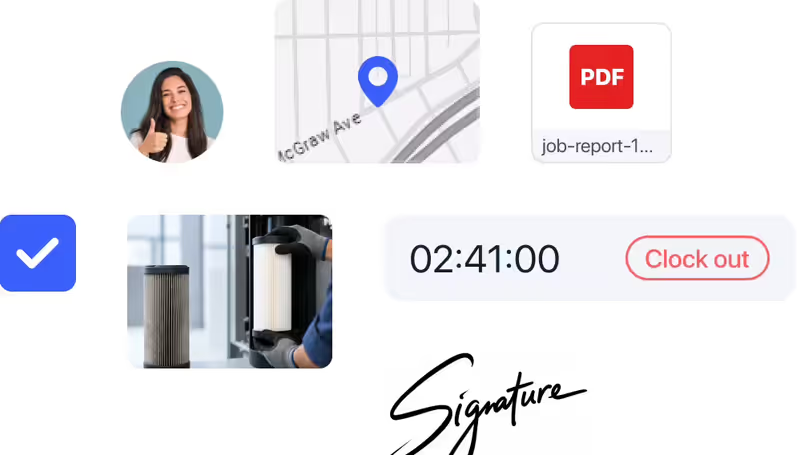

Review management
Ask for client reviews the moment you finish work. Collect reviews, get feedback, and easily share your top wins on social media.
Learn more →