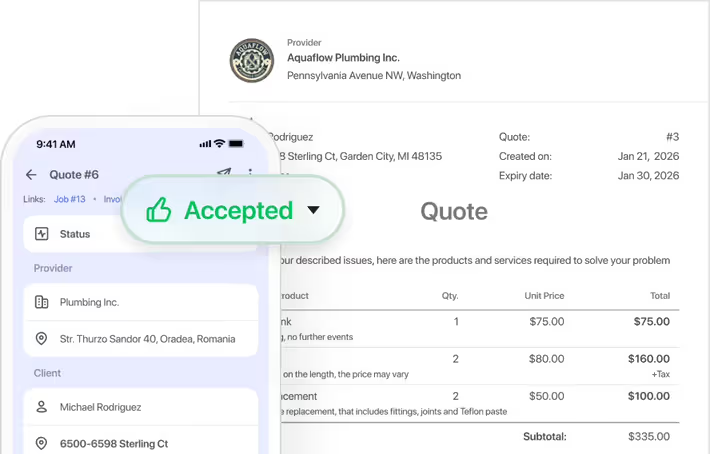
Work order management software organizes every detail of a job — tasks, photos, notes, client signatures, and pricing — in one place from start to finish. It gives service businesses a clear record of what was done, by whom, and when, without relying on paper forms or scattered files.
Work order management software for the trades
Take control of every job, start to finish. Turn quotes into jobs, track tasks and photos, and know your numbers at a glance.
Get started - it's free
No sales calls, no mandatory demo, self-setup in 5 minutes
Trusted by thousands of service professionals
Rated 4.8 on the App Store (412 ratings) · 4.7 on Google Play (315 ratings)
'/%3e%3cpath%20id='Vector_2'%20d='M11.8964%205.51385L12.3824%204.67385C12.6823%204.14885%2013.3512%203.97185%2013.8762%204.27185C14.4011%204.57185%2014.5781%205.24085%2014.2781%205.76585L9.59571%2013.8718H12.9823C14.0802%2013.8718%2014.6951%2015.1618%2014.2181%2016.0558H4.28937C3.68345%2016.0558%203.19751%2015.5698%203.19751%2014.9638C3.19751%2014.3578%203.68345%2013.8718%204.28937%2013.8718H7.07303L10.6366%207.69485L9.52372%205.76285C9.22376%205.23785%209.40073%204.57485%209.92567%204.26885C10.4506%203.96885%2011.1135%204.14585%2011.4195%204.67085L11.8964%205.51385ZM7.68495%2017.1808L6.63508%2019.0018C6.33512%2019.5268%205.6662%2019.7038%205.14127%2019.4038C4.61633%2019.1038%204.43935%2018.4348%204.73932%2017.9098L5.51922%2016.5598C6.40111%2016.2868%207.11802%2016.4968%207.68495%2017.1808ZM16.7258%2013.8778H19.5665C20.1724%2013.8778%2020.6583%2014.3638%2020.6583%2014.9698C20.6583%2015.5758%2020.1724%2016.0618%2019.5665%2016.0618H17.9887L19.0535%2017.9098C19.3535%2018.4348%2019.1765%2019.0978%2018.6516%2019.4038C18.1266%2019.7038%2017.4637%2019.5268%2017.1578%2019.0018C15.364%2015.8908%2014.0172%2013.5628%2013.1233%2012.0118C12.2084%2010.4338%2012.8623%208.84985%2013.5072%208.31285C14.2241%209.54285%2015.295%2011.3998%2016.7258%2013.8778Z'%20fill='white'/%3e%3c/g%3e%3c/g%3e%3c/g%3e%3c/g%3e%3c/g%3e%3c/g%3e%3c/g%3e%3cdefs%3e%3clinearGradient%20id='paint0_linear_0_1'%20x1='12'%20y1='0'%20x2='12'%20y2='24'%20gradientUnits='userSpaceOnUse'%3e%3cstop%20stop-color='%2318BFFB'/%3e%3cstop%20offset='1'%20stop-color='%232072F3'/%3e%3c/linearGradient%3e%3c/defs%3e%3c/svg%3e)

This app is amazing for our new lawn care businesses Makes scheduling so much easier. It has everything you need on it and more. It's simple and easy to use and I can't wait to grow our business using FieldVibe This app is a must! It tracks times, photos, notes, money
 App Store
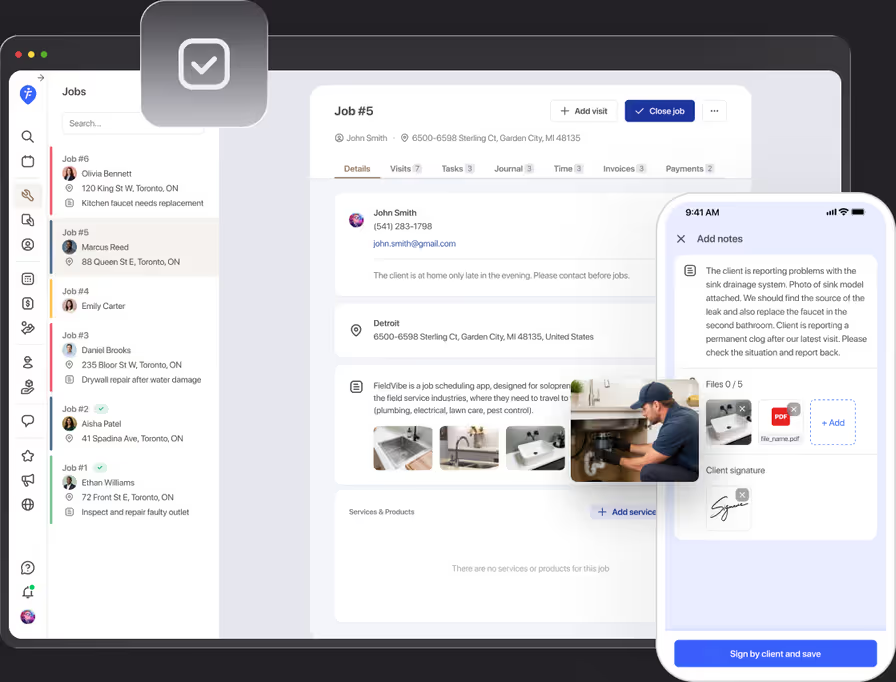
If job details, photos, and client sign-offs live scattered across texts, memory, and paper forms, disputes and mix-ups are just a matter of time. FieldVibe keeps every task, photo, and signature attached to the job itself, from quote to completion.
Never show up to a job without the details
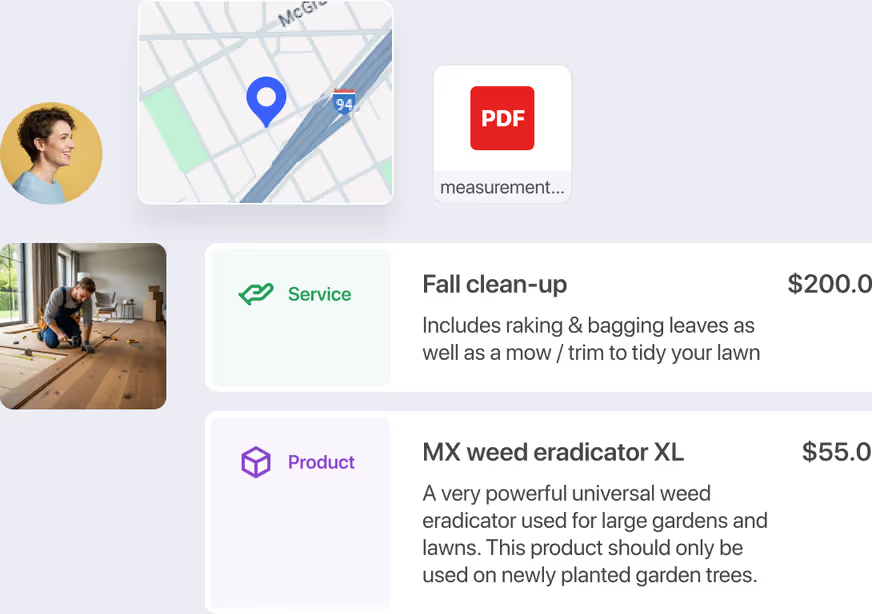
Every detail from the initial walkthrough — measurements, materials, and client notes — stays attached to the job itself, so nothing depends on memory once you're back on site.
Attach photos, notes, and signatures
Without photos, notes, and a signature on file, a disagreement over what was done becomes your word against the client's. With FieldVibe you can attach all three to every job, so you have a clear record ready the moment a question comes up.

Time tracking without a separate app
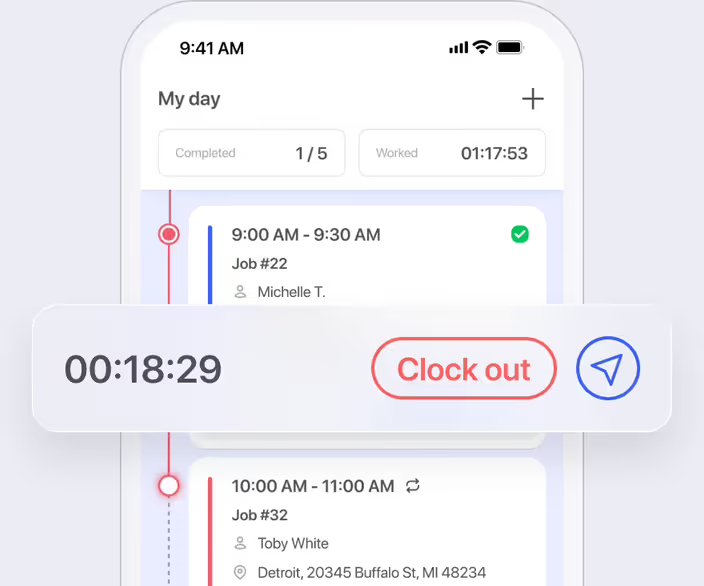
Log hours spent on each job right alongside the rest of the job details.
How would a handyman use the work order management features
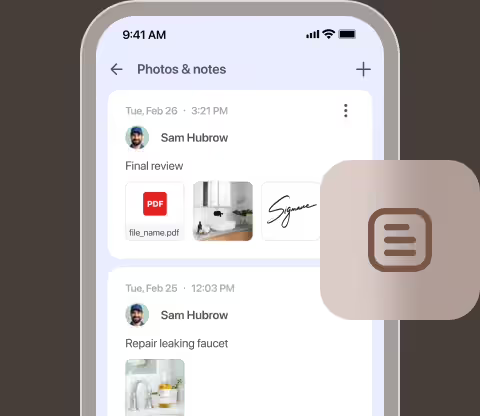
Pull up site details on arrival
Arriving at a deck restoration job, the handyman opens the work order to review lumber dimensions, hardware specs, and walkthrough notes taken weeks earlier.
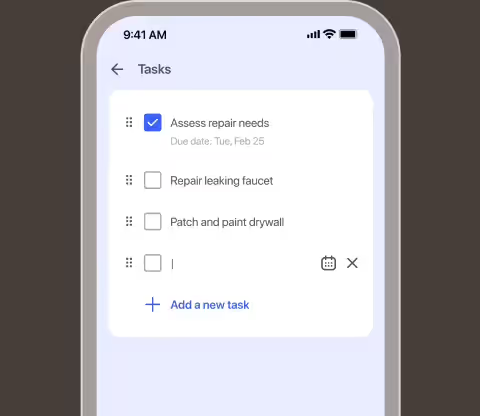
Document unexpected repairs
Discovering a rotted support beam, he adds a new task line to the work order and snaps a photo on his phone before making the repair.
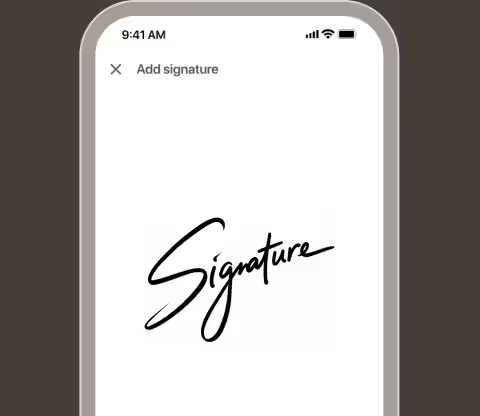
Capture client sign-off
Upon completing the project, he snaps finished photos and hands his phone to the homeowner to collect a digital signature on site.
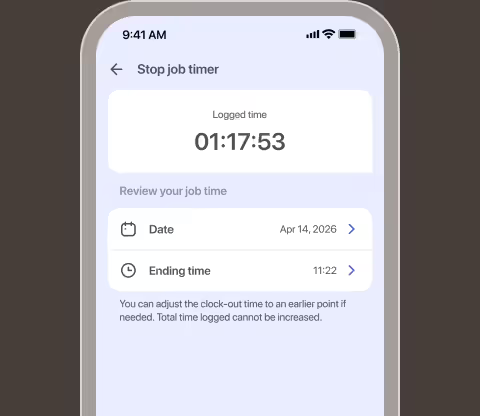
Log job hours
Before leaving, he punches out inside the job record to automatically attach his labor hours to the work order.
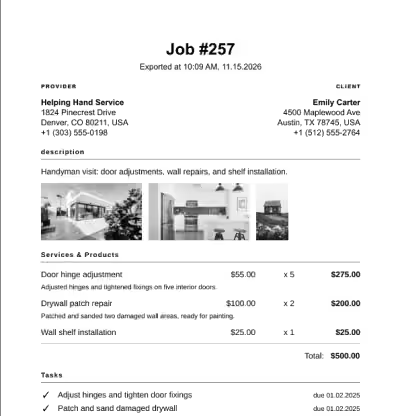
Export clean job records
At the end of the week, he exports the complete work order—including photos, signatures, and time logs—as a clean PDF record.
Frequently asked questions
Tasks, photos, notes, client signatures, service and product details, and total pricing — everything about the job in one view.
Yes. Capture before/after photos and client signatures directly from your phone on site.
Yes, on the Solo Pro and Crews plans. Punch in and out on each job to track hours worked, and see them reflected in your reports
Yes. Export any job to a clean, shareable PDF for your records or your client.
Core work order features are included for free. Time & revenue tracking and reports are part of the paid plans.
Yes. Staff with access can update tasks, add photos, and mark visits complete right from their phone.
Related features

Client management
Ditch the messy paper trails and scattered texts. FieldVibe keeps your entire service history securely online, pulling every job, quote, client note, and before/after photo into a single, organized timeline.
Learn more →

Job quoting
Win more jobs. Create professional quotes with taxes & deposits, get instant client approval alerts, and turn them into scheduled jobs in two taps.
Learn more →