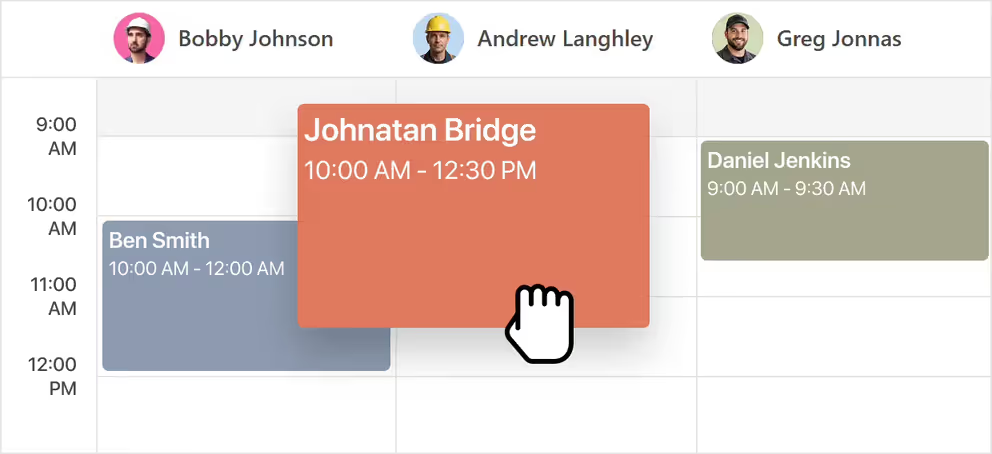
Job scheduling software is a tool that helps field service businesses plan, assign, and track visits and jobs on a digital calendar. It replaces paper schedules and spreadsheets, letting you add one-time or recurring visits, avoid double-bookings, and see your whole day at a glance from any device. Job scheduling is one part of field service management software.
Job scheduling software for field service pros
Fill your calendar and stop double-booking. Schedule one-time or recurring jobs in seconds, on a clean calendar built for the field.
Get started - it's free
No sales calls, no mandatory demo, self-setup in 5 minutes
Trusted by thousands of service professionals
Rated 4.8 on the App Store (412 ratings) · 4.7 on Google Play (315 ratings)
'/%3e%3cpath%20id='Vector_2'%20d='M11.8964%205.51385L12.3824%204.67385C12.6823%204.14885%2013.3512%203.97185%2013.8762%204.27185C14.4011%204.57185%2014.5781%205.24085%2014.2781%205.76585L9.59571%2013.8718H12.9823C14.0802%2013.8718%2014.6951%2015.1618%2014.2181%2016.0558H4.28937C3.68345%2016.0558%203.19751%2015.5698%203.19751%2014.9638C3.19751%2014.3578%203.68345%2013.8718%204.28937%2013.8718H7.07303L10.6366%207.69485L9.52372%205.76285C9.22376%205.23785%209.40073%204.57485%209.92567%204.26885C10.4506%203.96885%2011.1135%204.14585%2011.4195%204.67085L11.8964%205.51385ZM7.68495%2017.1808L6.63508%2019.0018C6.33512%2019.5268%205.6662%2019.7038%205.14127%2019.4038C4.61633%2019.1038%204.43935%2018.4348%204.73932%2017.9098L5.51922%2016.5598C6.40111%2016.2868%207.11802%2016.4968%207.68495%2017.1808ZM16.7258%2013.8778H19.5665C20.1724%2013.8778%2020.6583%2014.3638%2020.6583%2014.9698C20.6583%2015.5758%2020.1724%2016.0618%2019.5665%2016.0618H17.9887L19.0535%2017.9098C19.3535%2018.4348%2019.1765%2019.0978%2018.6516%2019.4038C18.1266%2019.7038%2017.4637%2019.5268%2017.1578%2019.0018C15.364%2015.8908%2014.0172%2013.5628%2013.1233%2012.0118C12.2084%2010.4338%2012.8623%208.84985%2013.5072%208.31285C14.2241%209.54285%2015.295%2011.3998%2016.7258%2013.8778Z'%20fill='white'/%3e%3c/g%3e%3c/g%3e%3c/g%3e%3c/g%3e%3c/g%3e%3c/g%3e%3c/g%3e%3cdefs%3e%3clinearGradient%20id='paint0_linear_0_1'%20x1='12'%20y1='0'%20x2='12'%20y2='24'%20gradientUnits='userSpaceOnUse'%3e%3cstop%20stop-color='%2318BFFB'/%3e%3cstop%20offset='1'%20stop-color='%232072F3'/%3e%3c/linearGradient%3e%3c/defs%3e%3c/svg%3e)

I've been using this cleaning app for a while now, and it has honestly made my life so much easier. Booking my clients is quick and simple, and I love being able to schedule cleanings around my busy routine. What really stands out is how accurate everything is. No confusion, no stress, just a smooth experience from start to finish. If you're looking for a convenient and trustworthy way to keep track of your hours put in i recommend this app
 Google Play
If you're still scheduling jobs with paper calendars, text messages, or spreadsheets, double bookings and forgotten appointments are inevitable. FieldVibe helps field service businesses organize every visit from one simple calendar.
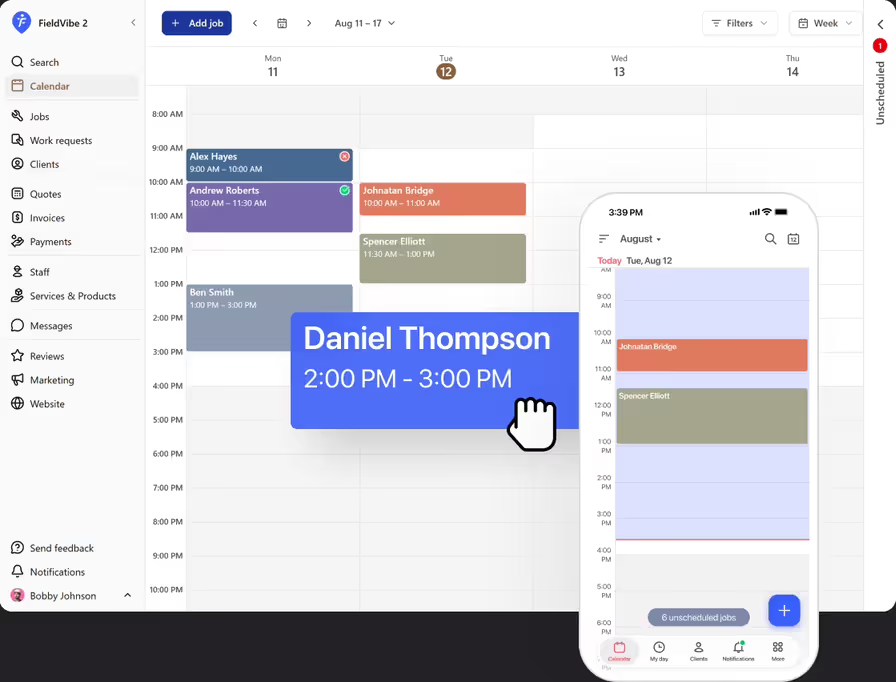
See your day, week, or month - your call
Switch between day, week, month, or list view depending on how you like to plan. Zoom in on today's stops, or zoom out to see what the whole month looks like at a glance
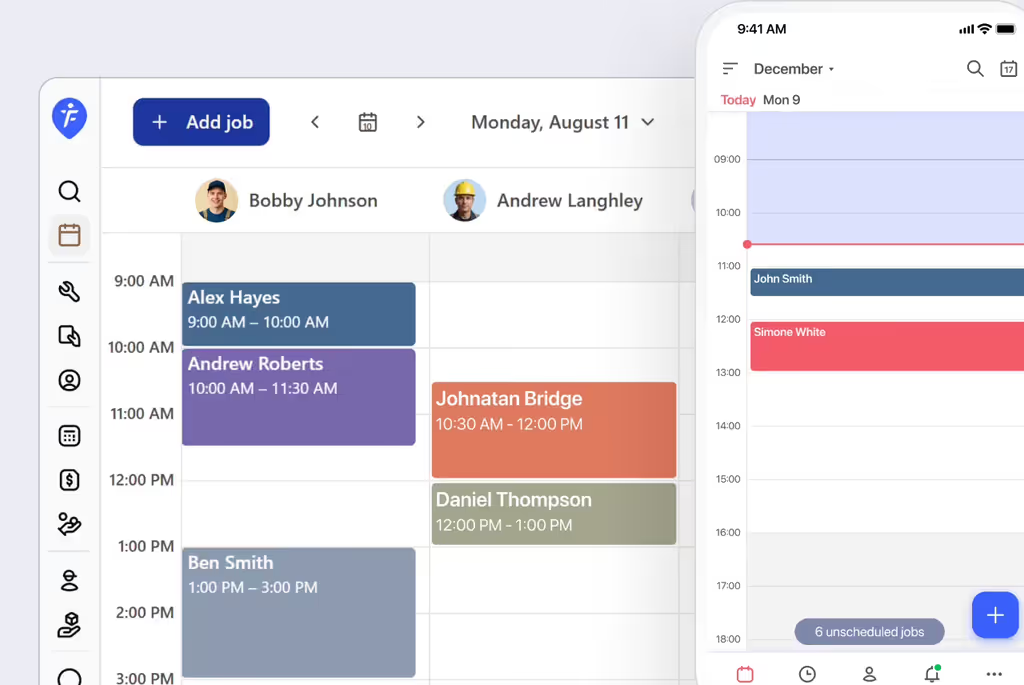
Recurring jobs made easy
Cleaning, lawn care, and pest control businesses often run on repeat schedules — weekly cleans, mowing every two weeks, quarterly treatments. Set the job once, and FieldVibe creates every future visit automatically.
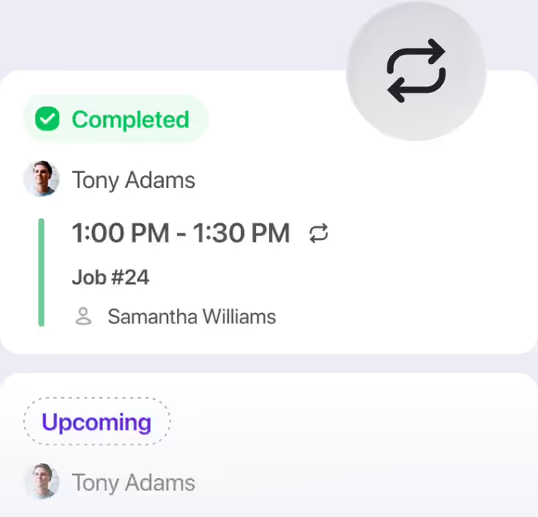
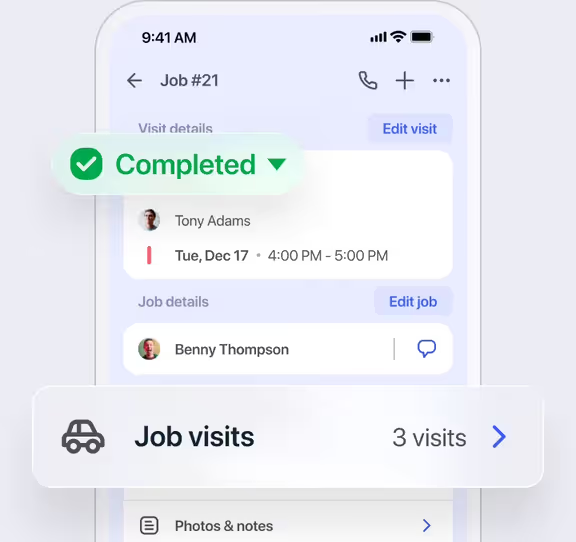
One job, multiple visits - all tracked together
Some jobs need more than one trip. Add multiple visits under a single job and track the status of each one separately, without losing the bigger picture.
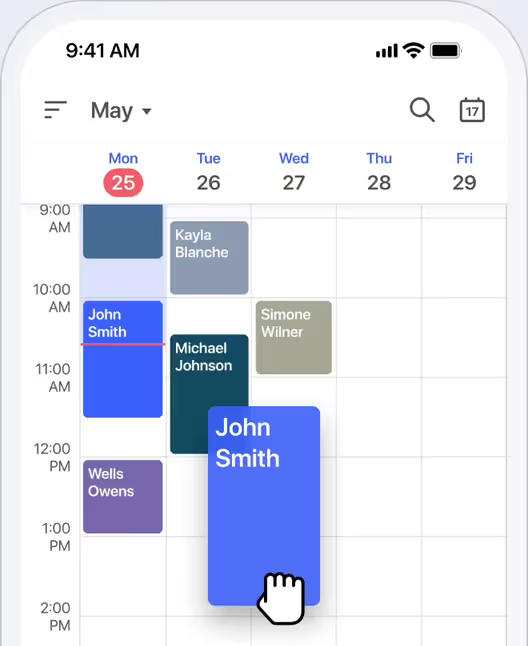
Drag-and-drop calendar
Move a job to a new day or time without opening a menu or retyping a single detail.
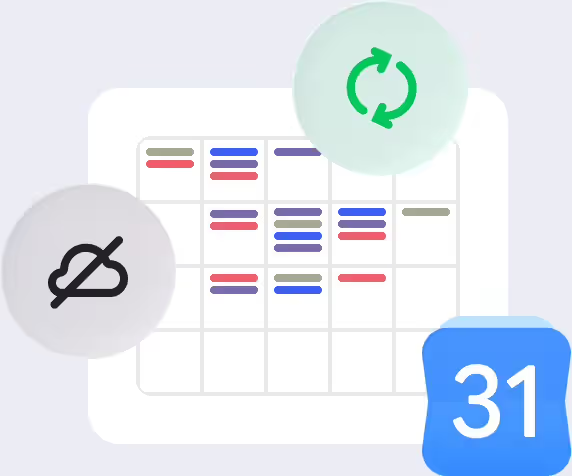
View your schedule offline, and your Google Calendar events
Your jobs are available even without cell service (read-only), and your personal commitments show up right alongside your work schedule.
How would a lawn care professional use the job scheduling feature
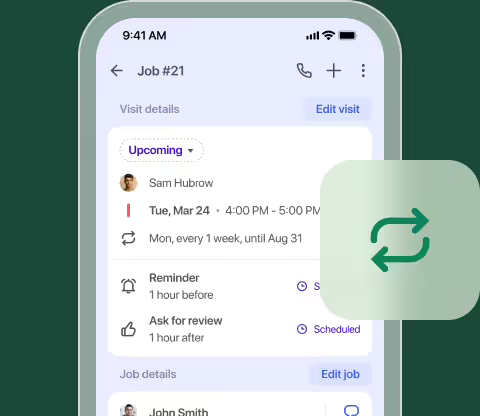
Set up repeat schedules once
The lawn care pro configures a client's weekly mowing schedule once at the start of the season, and FieldVibe automatically generates all future visits on the calendar.
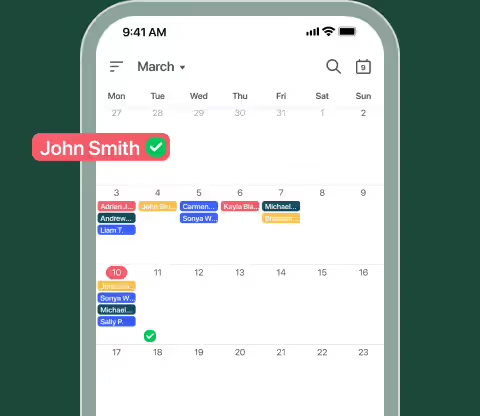
Review daily and monthly workloads
He checks the daily calendar view each morning for his exact schedule, and toggles to the monthly view on Sunday nights to identify heavily booked weeks ahead of time.
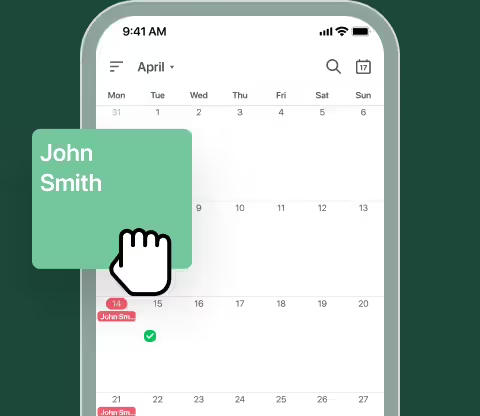
Reschedule single visits instantly
When a client requests to move a Thursday visit due to sprinkler repairs, he drags the job directly to Friday on his calendar view without retyping details.
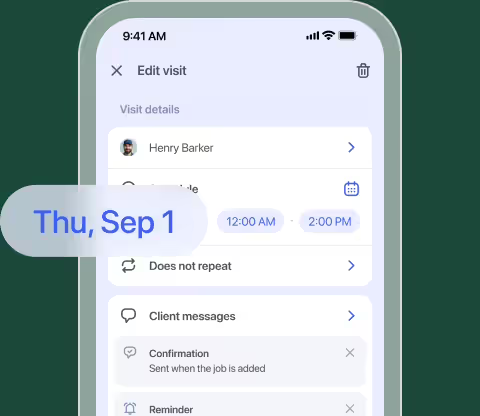
Handle weather delays in bulk
When rain washes out a Wednesday, he opens the daily schedule and drags each visit into open slots on Thursday and Friday.
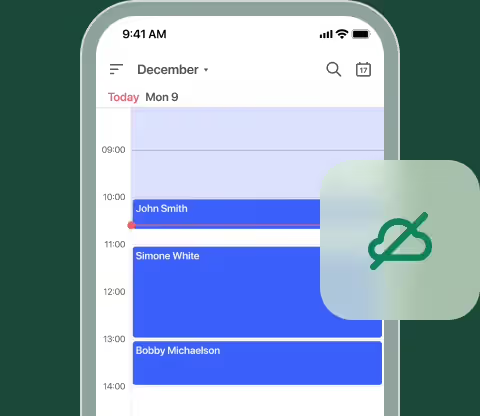
Access schedules offline
While working out of cell range behind a rural property, he pulls up his offline schedule and sees his work visits.
Frequently asked questions
Yes. FieldVibe allows you to schedule recurring jobs weekly, every two weeks, monthly, or on a custom repeat schedule, generating all future visits automatically.
They go into your unscheduled jobs pool, so you never lose track of work you haven't scheduled yet.
Yes. FieldVibe runs on iOS, Android, and web, and everything syncs instantly across devices.
Yes. Move a job to a new time or a different team member in just a few taps.
Yes. Unlimited job and visit scheduling is included in FieldVibe's free-forever Solo plan.
You can view your existing schedule offline in read-only mode. Editing requires an internet connection.
Yes. Google Calendar events can be displayed in FieldVibe, so your work and personal schedule stay aligned.
Related features

Automated text messages
Put client texting on autopilot. Reduce no-show and late cancellations with automated confirmations, text reminders, and fully customizable templates.
Learn more →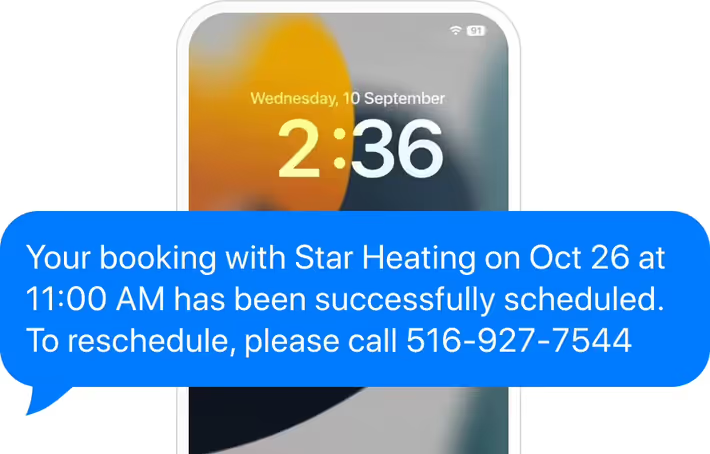

Staff scheduling
Keep your crew organized and running efficiently by scheduling jobs directly to the right employee. Control what your staff can see with custom user permissions, and use straightforward reports to keep an eye on tracked time and employee revenue.
Learn more →