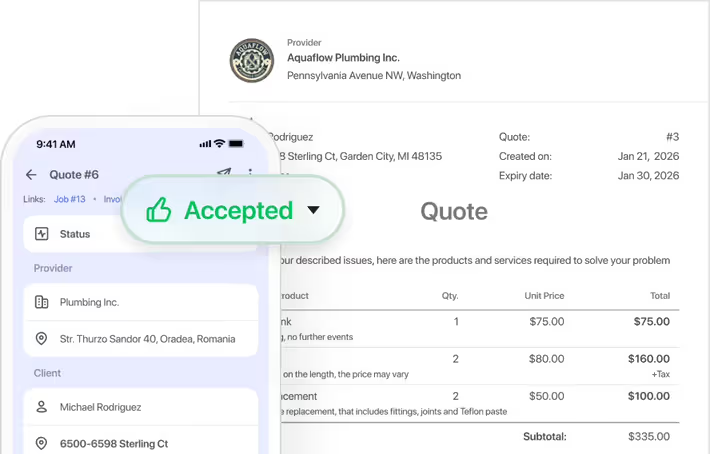
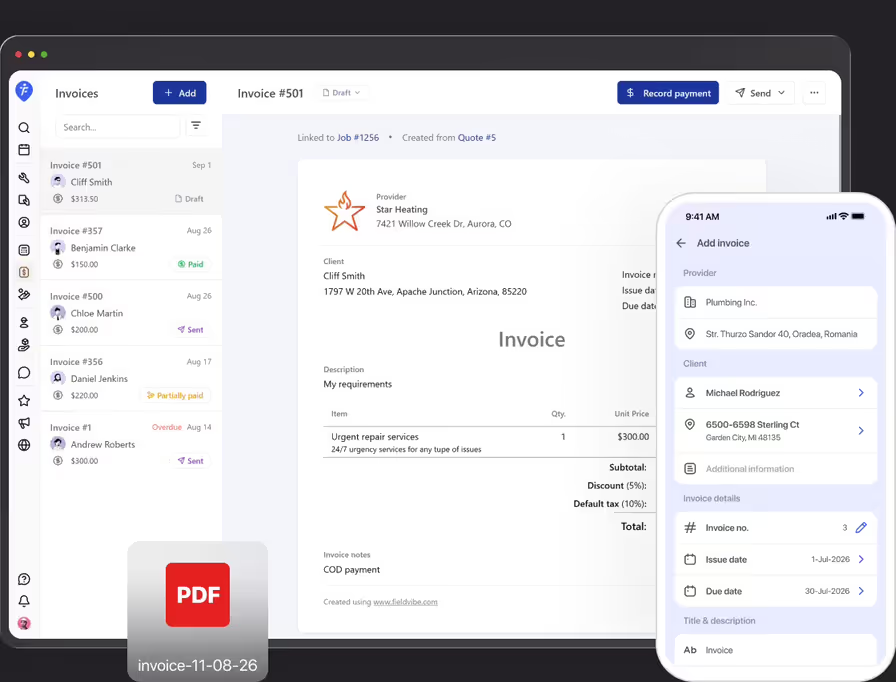
Field service invoicing software lets trade professionals create, send, and track invoices directly from their phones or computers. It connects with job details, quotes, and price books so you can bill clients in seconds without manual data entry.
Field service invoicing software for solo pros and small teams
Turn completed jobs or approved quotes into clean, professional invoices in seconds. Send bills by text or email without retyping a single line of client info.
Get started - it's free
No sales calls, no mandatory demo, self-setup in 5 minutes
Trusted by thousands of service professionals
Rated 4.8 on the App Store (412 ratings) · 4.7 on Google Play (315 ratings)
'/%3e%3cpath%20id='Vector_2'%20d='M11.8964%205.51385L12.3824%204.67385C12.6823%204.14885%2013.3512%203.97185%2013.8762%204.27185C14.4011%204.57185%2014.5781%205.24085%2014.2781%205.76585L9.59571%2013.8718H12.9823C14.0802%2013.8718%2014.6951%2015.1618%2014.2181%2016.0558H4.28937C3.68345%2016.0558%203.19751%2015.5698%203.19751%2014.9638C3.19751%2014.3578%203.68345%2013.8718%204.28937%2013.8718H7.07303L10.6366%207.69485L9.52372%205.76285C9.22376%205.23785%209.40073%204.57485%209.92567%204.26885C10.4506%203.96885%2011.1135%204.14585%2011.4195%204.67085L11.8964%205.51385ZM7.68495%2017.1808L6.63508%2019.0018C6.33512%2019.5268%205.6662%2019.7038%205.14127%2019.4038C4.61633%2019.1038%204.43935%2018.4348%204.73932%2017.9098L5.51922%2016.5598C6.40111%2016.2868%207.11802%2016.4968%207.68495%2017.1808ZM16.7258%2013.8778H19.5665C20.1724%2013.8778%2020.6583%2014.3638%2020.6583%2014.9698C20.6583%2015.5758%2020.1724%2016.0618%2019.5665%2016.0618H17.9887L19.0535%2017.9098C19.3535%2018.4348%2019.1765%2019.0978%2018.6516%2019.4038C18.1266%2019.7038%2017.4637%2019.5268%2017.1578%2019.0018C15.364%2015.8908%2014.0172%2013.5628%2013.1233%2012.0118C12.2084%2010.4338%2012.8623%208.84985%2013.5072%208.31285C14.2241%209.54285%2015.295%2011.3998%2016.7258%2013.8778Z'%20fill='white'/%3e%3c/g%3e%3c/g%3e%3c/g%3e%3c/g%3e%3c/g%3e%3c/g%3e%3c/g%3e%3cdefs%3e%3clinearGradient%20id='paint0_linear_0_1'%20x1='12'%20y1='0'%20x2='12'%20y2='24'%20gradientUnits='userSpaceOnUse'%3e%3cstop%20stop-color='%2318BFFB'/%3e%3cstop%20offset='1'%20stop-color='%232072F3'/%3e%3c/linearGradient%3e%3c/defs%3e%3c/svg%3e)


If you wait until the end of the week to send invoices, you're delaying your cash flow and chasing unpaid bills. FieldVibe lets you create and send clear invoices right from your phone the moment a job is completed.
Invoice in seconds
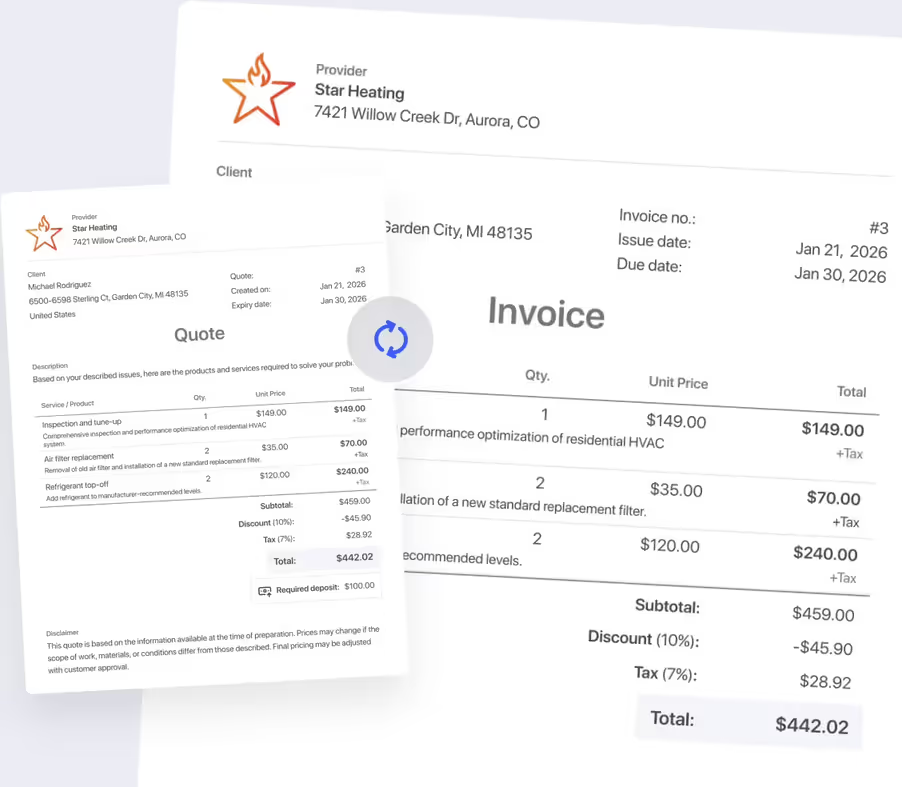
Never type the same job details twice. Convert completed work or accepted quotes into clean invoices instantly, pulling in all line items, notes, and pricing automatically.
Send invoices by text message or email
Deliver invoices directly to your client's cell phone via text or email so they can review and pay immediately. You can also download a clean PDF for printing or record-keeping.

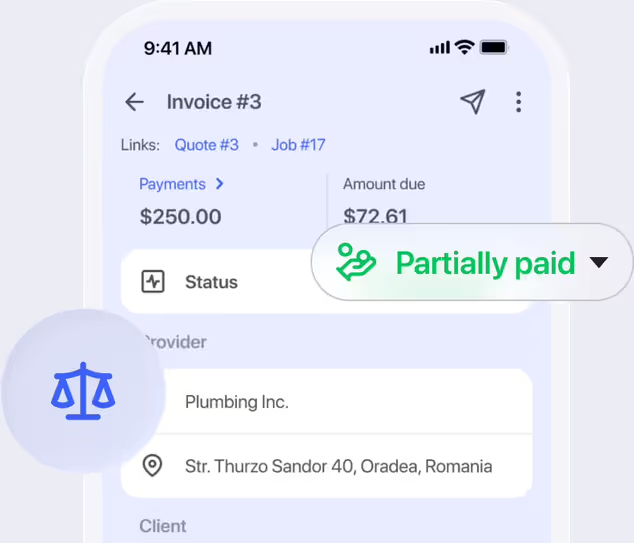
Track paid, unpaid, and overdue bills at a glance
Stop wondering who still owes you money. Monitor invoice statuses in real-time, so you know exactly which clients need a polite follow-up.
Include taxes, discounts, and pre-set pricing
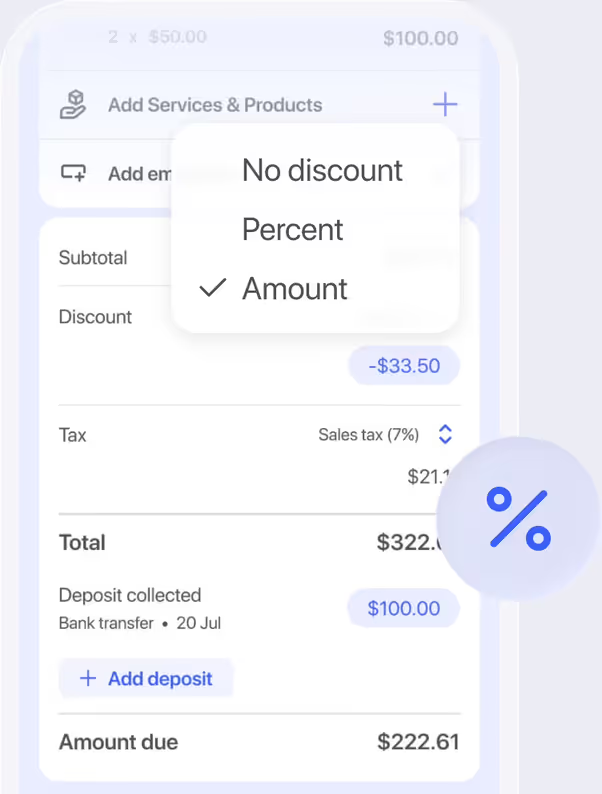
Pull standard services directly from your price book, apply state or local taxes, and add custom line-item discounts without math mistakes or manual calculations.
How would a handyman use the field service invoicing feature
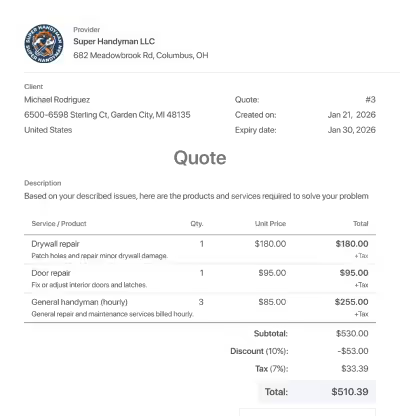
Generate invoices on site
After replacing a porch step, a handyman marks the job complete in FieldVibe and taps twice to create an invoice for the job.
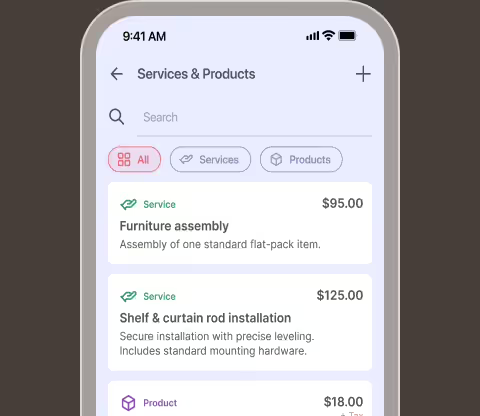
Pull pre-set rates automatically
The app automatically carries over labor rates, material costs, and notes from his price book onto the final invoice.
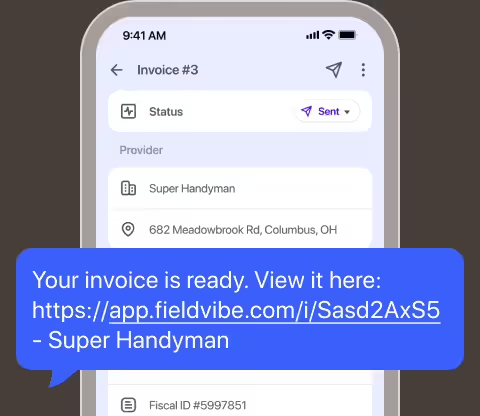
Text bills directly to clients
He texts the invoice link straight to the homeowner's phone before leaving the driveway.
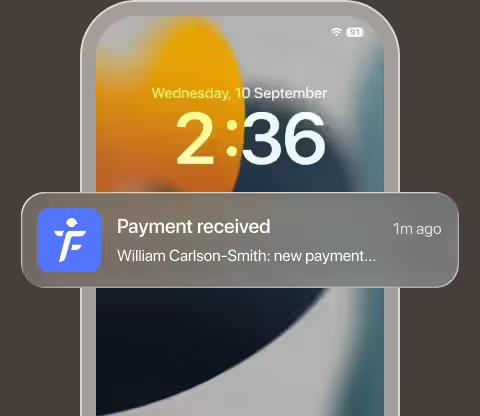
Track payment status
He receives an immediate notification when the client opens and pays the invoice online, keeping his billing fully updated.
Frequently asked questions
Once a quote is approved or a job is completed, open the details and tap 'Add invoice.' All services, rates, client notes, and taxes carry over automatically into a professional invoice.
You can text a secure invoice link directly to your client's phone, send it via email from the app, or download a PDF to print or share yourself.
Yes. You can add pre-set services from your price book, apply custom line items, include local taxes, and add flat-rate or percentage discounts before sending.
No. Clients open the invoice link directly in their phone's web browser without downloading any software or registering for an account.
No. Invoicing is available on the Solo Pro ($20/month) and Crews ($50/month) plans.
Yes. FieldVibe tracks the status of every invoice, so you always know your outstanding balances without checking bank statements.
Related features
'%3e%3cpath%20id='Vector'%20d='M14.4%203.23516V1.6C14.4%200.7168%2015.1168%20-4.76837e-07%2016%20-4.76837e-07C16.8832%20-4.76837e-07%2017.6%200.7168%2017.6%201.6V3.35996C21.2512%204.10076%2024%207.3296%2024%2011.2C24%2012.0832%2023.2832%2012.8%2022.4%2012.8C21.5168%2012.8%2020.8%2012.0832%2020.8%2011.2C20.8%208.5488%2018.6512%206.4%2016%206.4H15.1104C14.0736%206.4%2013.0784%206.8112%2012.3456%207.54561C11.6112%208.2784%2011.2%209.27355%2011.2%2010.3104V10.3152C11.2%2011.9808%2012.3344%2013.4336%2013.9504%2013.8384C15.5008%2014.2256%2017.2752%2014.6688%2018.8256%2015.0576C21.8656%2015.8176%2024%2018.5504%2024%2021.6848V21.6896C24%2023.576%2023.2512%2025.384%2021.9168%2026.7168C20.752%2027.8816%2019.2256%2028.6016%2017.6%2028.7648V30.4C17.6%2031.2832%2016.8832%2032%2016%2032C15.1168%2032%2014.4%2031.2832%2014.4%2030.4V28.64C10.7488%2027.8992%208%2024.6704%208%2020.8C8%2019.9168%208.7168%2019.2%209.6%2019.2C10.4832%2019.2%2011.2%2019.9168%2011.2%2020.8C11.2%2023.4512%2013.3488%2025.6%2016%2025.6H16.8896C17.9264%2025.6%2018.9216%2025.1888%2019.6544%2024.4544C20.3888%2023.7216%2020.8%2022.7264%2020.8%2021.6896V21.6848C20.8%2020.0192%2019.6656%2018.5664%2018.0496%2018.1616C16.4992%2017.7744%2014.7248%2017.3312%2013.1744%2016.9424C10.1344%2016.1824%208%2013.4496%208%2010.3152V10.3104C8%208.42395%208.7488%206.616%2010.0832%205.2832C11.248%204.1184%2012.7744%203.39836%2014.4%203.23516Z'%20fill-rule='evenodd'%20clip-rule='evenodd'%20fill='%23112136'/%3e%3c/g%3e%3cdefs%3e%3cclipPath%20id='clip0_0_7'%3e%3crect%20width='32'%20height='32'%20fill='white'/%3e%3c/clipPath%3e%3c/defs%3e%3c/svg%3e)
Payments
Accept online credit card payments, Apple Pay, ACH bank transfers, or collect contactless payments on site with Tap to Pay on iPhone.
Learn more →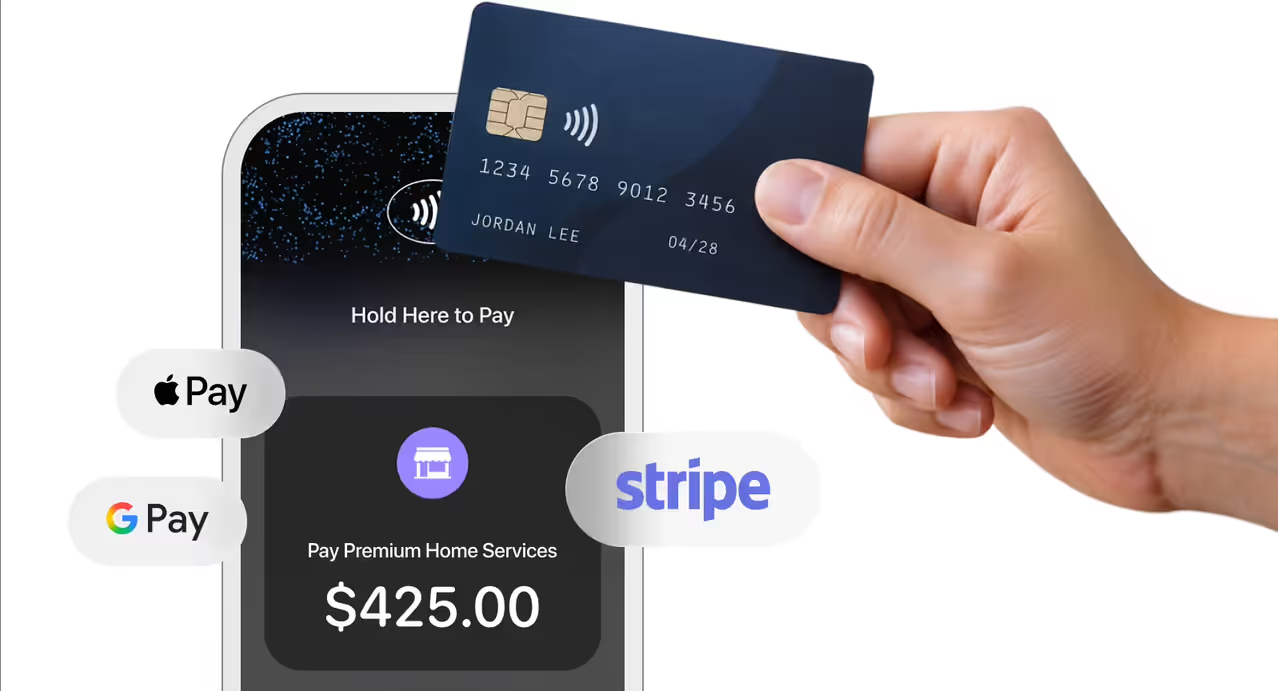

Job quoting
Win more jobs with fast estimates. Create professional quotes on site, get instant approval alerts, and convert them to scheduled jobs in two taps.
Learn more →