November 26, 2026
Appointment Reminder Text Templates for Service Businesses (2026)
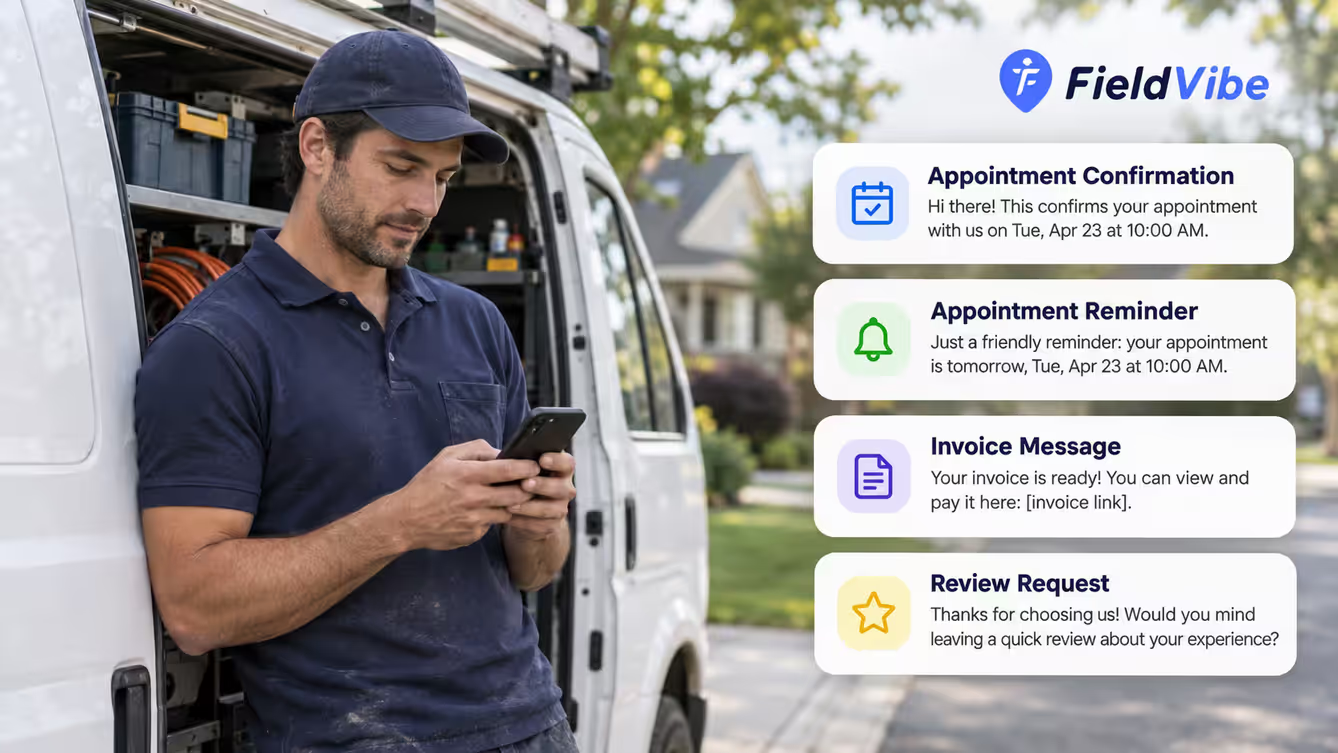
By Adrian Cucerzan · Last updated November 27, 2026
You drove 25 minutes, knocked, and nobody was home. Or the gate was locked. Or the customer "thought it was next week." Every missed visit costs you the drive, the time slot and the money you would have made.
The short answer: send a confirmation when the job is booked, a reminder the day before, and a quick text when you're on your way. Each message should say who you are, when you're coming, and how to reschedule. Below are 20 copy-paste templates for the messages service pros send most, with versions for cleaning, lawn care, HVAC, plumbing, electrical and pest control.
Disclosure: This guide is published by FieldVibe, field service software for solo pros and small teams. We mention where FieldVibe can help, but the templates work whether you use it or not.
What a good appointment reminder includes
A reminder works when the customer can read it in a few seconds and knows exactly what to do. Include:
- Your business name, so they know who's texting.
- The day and date, not just "tomorrow". People read texts late.
- An arrival window, such as "between 9 and 11 a.m." A window is easier to keep than an exact time.
- The address, if the customer has more than one property.
- What they need to do, if anything: unlock the gate, put pets away, clear the area under the sink.
- How to reschedule, so a customer who can't make it tells you before you drive out.
Keep it to about 160 characters when you can. A standard text message holds 160 characters; longer messages are split into parts.
When to send each message
| When | Message | Why it matters |
|---|---|---|
| Right after booking | Booking confirmation | The customer sees the date in writing and can spot mistakes early |
| 1 to 2 days before | Day-before reminder | Gives time to reschedule and to fix access problems |
| Morning of the visit | Same-day reminder | Useful for early visits and customers who often forget |
| When you leave for the job | On-my-way text | The customer is ready when you arrive |
| If plans change | Running late or reschedule | Keeps trust when things go wrong |
| After the visit | Thank-you and follow-up | Opens the door to the next booking and a review |
You don't need every message for every job. For routine visits, a day-before reminder is a good starting point. Add the others for first visits, long drives, early mornings or customers who have missed before.
How service pros actually time their texts
In a November 2025 discussion among irrigation technicians on Reddit, one commenter recommends asking customers whether they prefer a call or a text, reminding them the day before, texting 30 minutes before arrival and thanking them afterwards. Another describes how their office confirms the day before and calls on the way only if the customer requests it.
The useful distinction is between a reminder that can be sent in advance and an arrival update that depends on where you actually are. Give customers a realistic arrival window when they book, then send the on-my-way text while you're parked and about to leave. If you have a crew, agree on who sends that update: the technician or the office. Don't make the customer chase both.
These are examples shared by individual service professionals, not survey results. Use them as a starting point and adjust to the type of jobs you do.
Booking confirmation templates
Send these as soon as the job is booked. Replace the parts in brackets.
1. Simple booking confirmation
Hi [Name], you're booked with [Business] on [Day, Date] between [time window] at [address]. Need to change it? Just reply or call [phone].
2. Confirmation with a price and what's included
Hi [Name], thanks for booking [service] with [Business] on [Day, Date], [time window]. Price as quoted: [amount]. Reply with any questions before then.
3. Confirmation for a first visit
Hi [Name], this is [Your name] from [Business]. Looking forward to meeting you on [Day, Date] between [time window]. Anything I should know about parking or access?
Day-before and same-day reminder templates
4. Day-before reminder
Hi [Name], reminder from [Business]: we'll see you tomorrow, [Day, Date], between [time window]. Reply or call [phone] if you need to reschedule.
5. Day-before reminder that asks for a reply
Hi [Name], [Business] here. Your appointment is tomorrow, [Day], [time window]. Reply YES to confirm, or let us know if you need a new time.
6. Same-day morning reminder
Good morning [Name], [Business] will be there today between [time window]. See you soon!
7. On my way
Hi [Name], it's [Your name] from [Business]. I'm on my way and should be there in about [minutes] minutes.
What if the customer doesn't confirm?
In a May 2024 r/handyman thread about last-minute cancellations, a handyman described driving 30 minutes only to be told the job couldn't go ahead that day. One commenter explained their approach: "I always text the customer before heading out. I don't head out until they confirm." Another uses automated confirmation requests 24 hours and one hour before an appointment.
For a first visit, a long drive or a job where you need the customer to let you in, ask for a reply in the day-before reminder. If there's no answer, follow up with a call or text before leaving. If you require confirmation by a certain time to hold the slot, explain that when the customer books. Don't silently cancel an agreed appointment just because someone hasn't replied. For regular customers who have already arranged access, you may not need a reply at all.
When plans change
Send these as early as you can. Texting before the arrival window has passed keeps a delay from feeling like a no-show on your side.
8. Running late
Hi [Name], [Your name] from [Business] here. I'm running about [minutes] minutes late after an earlier job. Sorry for the wait. I'll text when I'm close.
9. You need to reschedule
Hi [Name], I'm sorry, I need to move your [Day] appointment. Could [option 1] or [option 2] work instead? Reply with what suits you best.
10. New time confirmed
Thanks [Name], you're now booked for [Day, Date] between [time window]. We'll send a reminder the day before.
11. Cancellation confirmed
Hi [Name], your [Day, Date] appointment with [Business] is canceled. Whenever you're ready to rebook, just reply to this message.
Recurring and seasonal reminders
12. Recurring visit reminder
Hi [Name], your regular [service] visit is tomorrow, [Day, Date], between [time window]. Same access as usual? Reply if anything has changed.
Even regular customers can get the date wrong. In a March 2024 r/housekeeping discussion about a canceled recurring clean, a cleaning business owner said a customer had confirmed a monthly schedule by text but thought the crew was due the following week. The crew had already started cleaning when the customer asked to reschedule. Other cleaners in the discussion described sending reminders the day before or 24 to 48 hours ahead, including for recurring clients.
If you clean the second Monday of every month or mow every other week, send the actual calendar date in your reminder. Don't assume the customer has the same recurring schedule in their head as you do.
13. Seasonal maintenance reminder
Hi [Name], it's [Business]. It's about time for your [season] [service]. Want me to book you in? I have openings on [day 1] and [day 2].
Unlike an appointment reminder, this is a message asking for a new booking. Only send it to customers who have agreed to receive that type of message.
After the visit
14. Missed appointment follow-up
Hi [Name], we stopped by today at [time] but couldn't reach you. No problem, these things happen. Reply with a day that works and we'll rebook.
Keep the tone friendly. The goal is a new booking, not an argument. If your business charges for missed visits, say so when the job is booked, not for the first time after a no-show.
15. Thank you after the job
Thanks for having us today, [Name]. If anything isn't right, reply here and we'll sort it out. Happy to book your next visit whenever you're ready.
Not every customer needs a separate thank-you text. In a June 2025 r/housekeeping thread about texting clients after a service, cleaners discussed whether to send photos and a thank-you after each clean. One preferred simply texting that the job was complete and payment was due; another felt that extra messages were too much. If the customer isn't home when you finish, a short completion update can be more useful than a generic thank-you. Send photos when they're useful to the customer, not just to add another message.
Templates by trade
Most reminders are the same in every trade. The difference is the one line about what the customer should do before you arrive.
16. Cleaning
Hi [Name], [Business] reminder: your clean is tomorrow, [Day], [time window]. Please put pets in a safe spot and leave the key or code as usual.
17. Lawn care and landscaping
Hi [Name], [Business] will be there tomorrow, [Day, Date]. Please unlock the gate, clear the driveway and bring pets inside. We'll text if weather changes our plans.
In a May 2026 r/smallbusiness discussion about access for a lawn care visit, a customer described receiving a text the night before mowing but sometimes forgetting to move a van that blocked the mower's access. A landscaping company owner in the comments explained that they used to ring the bell or send a quick text before moving on if nobody responded. They also stressed that customers need to keep access clear.
If access is essential, spell out exactly what needs to be moved or unlocked. Agree on a regular service day where possible, and tell customers what happens if you can't get in. For a property with known access problems, an extra heads-up before arrival may save both sides a missed visit.
18. HVAC
Hi [Name], [Business] reminder: your [heating / AC] service is tomorrow, [Day], [time window]. Please make sure we can reach the unit and the thermostat.
19. Plumbing, electrical and handyman
Hi [Name], [Business] is booked for tomorrow, [Day], [time window]. Please clear the area around the [sink / panel / work area] so we can start right away.
20. Pest control
Hi [Name], your [Business] treatment is tomorrow, [Day], [time window]. Please follow the prep sheet we sent and keep pets away from treated areas.
Mistakes to avoid
- Only saying "tomorrow". Always include the day or date. Texts get read late.
- Leaving out how to reschedule. A customer who can't make it needs an easy way to tell you.
- Sending too many messages. Two or three appointment texts per visit are often enough. Add another only when it gives the customer useful new information.
- Treating a reminder as a booking. Agree on a date or arrival window first. Telling a customer late in the evening that you're coming the next morning isn't the same as reminding them of an appointment they agreed to.
- Texting while driving. Send your on-my-way update before leaving or when safely parked.
- Mixing in sales offers. Keep reminders about the appointment. Send offers separately, and only to customers who want them.
- Texting people who didn't agree to it. Only text customers who gave you their number for appointment updates, and stop if someone asks you to.
- Using a different name every time. Sign with the same business name your customers see on your quotes, invoices and website.
Sending reminders by hand vs automatically
By hand. You save the templates in your phone's notes and send each one yourself. It's free and works fine for a few jobs a week. The risk is forgetting on a busy day, which is exactly when no-shows hurt most.
With field service software. Your schedule and your reminders live in one place, so the reminder goes to the right customer with the right date and time. This saves the most time once you have more than a handful of visits a week, or when someone else on your team books jobs.
Whichever you choose, keep track of missed appointments for a few weeks. If you see the same customers or the same time slots come up, adjust when and how you remind them.
Where FieldVibe fits
FieldVibe is simple, mobile-first field service software for solo pros and small teams. Schedule jobs, keep client history in one place, and send appointment reminders so customers don't forget. Reminders work differently on each plan:
| Plan | Price | Reminders |
|---|---|---|
| Solo | Free | Manual (tap to send): you send each reminder yourself with a tap |
| Solo Pro | $20/month ($180/year) | Automated: up to 400 a month in the US and Canada, 150 a month elsewhere |
| Crews | $50/month ($450/year), unlimited users | Automated: up to 1,000 a month in the US and Canada, 400 a month elsewhere |
Automated reminders have monthly caps on every plan. If you send one reminder per visit, 400 a month covers about 400 visits; if you send two (the day before and the morning of), it covers about 200. Solo Pro and Crews also add customizable message templates, so you can save the wording you use most.
FieldVibe also lets you mark a visit as Completed, Canceled or No-Show, so you can see how often customers miss appointments. In our interviews with FieldVibe users, they told us reminders helped them cut no-shows.
FieldVibe isn't the right fit if you need route optimization, GPS tracking, inventory or a QuickBooks connection. It has none of these.
See how automated text messages work in FieldVibe, or start with the free plan. No sales calls and no mandatory demo.
FAQ: Appointment reminder texts
What should an appointment reminder text say?
Your business name, the day and date, the arrival window, the address if you visit more than one property for the customer, anything they need to prepare, and how to reschedule. Keep it short enough to read in a few seconds.
When should I send an appointment reminder?
Send a confirmation when the job is booked and a reminder the day before. For early-morning visits or customers who often forget, add a short text on the morning of the visit or when you're on your way.
How long should an appointment reminder text be?
Aim for about 160 characters or less. A standard text message holds 160 characters; longer messages are split into parts, which can cost more and are easier to skim past.
Should I ask customers to confirm by text?
It helps. A line like "Reply YES to confirm" turns a reminder into a quick check. If someone doesn't reply, call or text again before you drive out, especially for long trips or first visits.
Do appointment reminders reduce no-shows?
Reminders give customers a chance to confirm, reschedule or tell you about access problems before you make the trip. In our interviews with FieldVibe users, they told us reminders helped them cut no-shows. We don't have figures to share, so treat reminders as a habit to test in your own business.
Can I send appointment reminders for free with FieldVibe?
Yes. FieldVibe's free Solo plan includes manual reminders: you send each one yourself with a tap. Automated reminders start with Solo Pro at $20/month, with up to 400 a month in the US and Canada and 150 a month elsewhere.
Do I need permission to text customers?
Only text customers who gave you their number and agreed to get appointment texts from you, and stop texting anyone who asks you to. Keep reminder texts about the appointment, not sales offers.
Related guides
- How to get clients for a cleaning business
- Free field service software: free plans compared
- Spreadsheets and calendar apps vs FieldVibe: when to switch
Try FieldVibe free
Whether you work solo or have a small crew, you can start free with manual reminders and upgrade to automated reminders when you're ready. Schedule your first job from your phone today.